Short.io Alternatives for Marketers & Developers (2026)
Short.io Alternatives for Marketers & Developers (2026)

For most marketing teams and developers, Rdyrct is the strongest Short.io alternative available right now. It covers branded short links, privacy-respecting analytics (no IP storage), dynamic QR codes, a UTM builder, and a developer API, all on a free-forever tier that scales into paid plans. If you’re migrating from Short.io, the DNS and domain steps are straightforward, and the analytics model is genuinely different from what you’ll find on most platforms.
Here’s the shortlist at a glance:
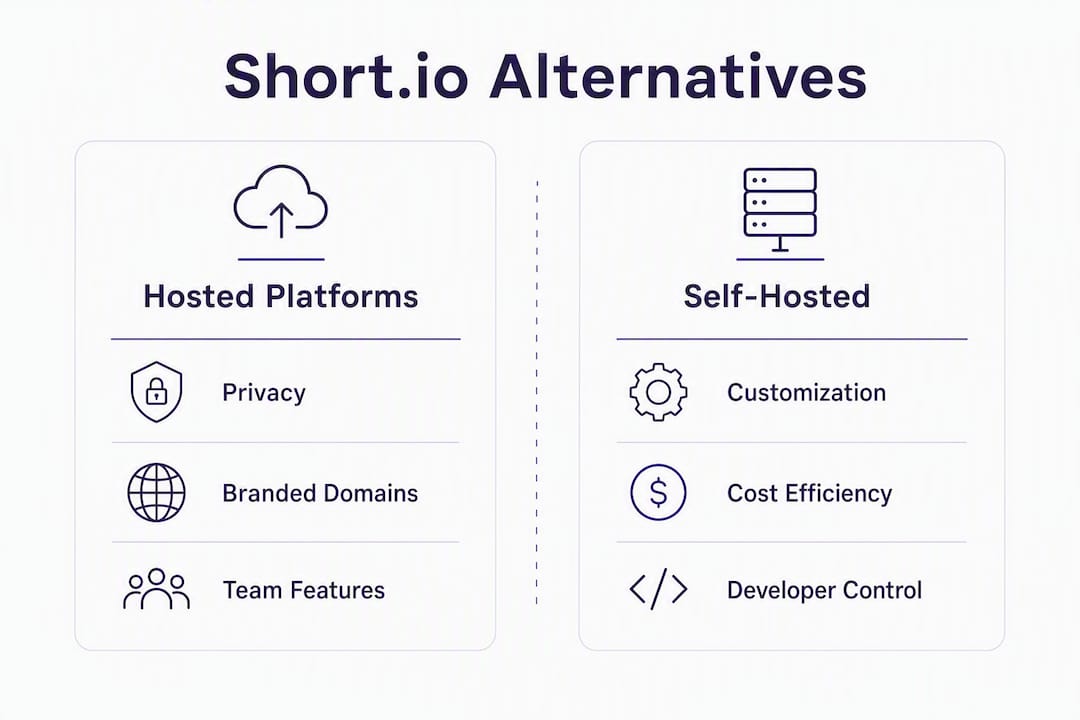
- Rdyrct — privacy-first branded links with real-time analytics and Cloudflare-based self-hosting; the recommended pick for marketers and developers
- Branded-link specialist (e.g., Rebrandly) — purpose-built for domain governance and marketing workflows at scale
- Enterprise-known platform (e.g., Bitly) — familiar, easy to roll out company-wide, strong admin controls
- Modern open-source hosted option (e.g., Dub, YOURLS, Polr) — self-host for full data control; best for technical teams
- Marketing-focused shortener (e.g., Replug) — adds retargeting pixels, A/B testing, and landing page tools
- Free or low-cost options (e.g., TinyURL, LittleLink) — minimal features, good for one-off links or tight budgets
Migrating from Short.io? Jump to the migration checklist for the exact DNS, export, and redirect steps.
Table of Contents
- Which Short.io alternatives actually compare on features?
- Why Rdyrct is the recommended Short.io alternative
- When a branded-link specialist makes sense
- Enterprise platforms: easy rollout, real trade-offs
- Open-source and self-hosted options: full control, real overhead
- Marketing-focused shorteners: built for conversion, not just clicks
- Free and low-cost options: when simplicity wins
- How do you pick the right Short.io alternative for your team?
- How to migrate from Short.io
- How we evaluated these alternatives
- Key Takeaways
- The real reason to switch from Short.io (and when to stay)
- Rdyrct: privacy-first link management worth trying
- Useful sources and vendor documentation
Which Short.io alternatives actually compare on features?
The table below maps each category against the dimensions that matter most when switching. Generic labels replace competitor names in most columns; Rdyrct is the only named pick because it’s the publisher’s recommended option.
| Dimension | Rdyrct | Branded-link specialist | Enterprise platform | Open-source hosted | Marketing-focused | Free/low-cost |
|---|---|---|---|---|---|---|
| Best for | Privacy-first branded links + dev API | Brand governance at scale | Company-wide rollout | Data control + custom routing | Campaign optimization | One-off links, tight budgets |
| Starting price & free plan | Free forever; paid tiers unlock more limits | Free tier; paid from ~$13/mo | Free tier; paid from ~$8/mo | Free (self-hosted); hosted plans vary | Free tier; paid plans available | Free; paid from ~$5/mo |
| Custom domain support | Yes, all plans | Yes, core feature | Yes, paid plans | Yes, self-hosted | Yes, paid plans | Limited or none on free |
| Analytics depth | Geo, device, referrer; no IP stored | Geo, device, referrer | Geo, device, referrer | Varies by project | Geo, device, referrer, pixel | Basic click counts |
| Analytics retention | Plan-dependent; history on paid tiers | Plan-dependent | Plan-dependent | Unlimited (self-hosted) | Plan-dependent | Short or none |
| API & developer tooling | Full REST API; Cloudflare self-hosting | REST API | REST API | Full API (open-source) | REST API | Minimal or none |
| QR code generation | Dynamic branded QR codes | Static + dynamic | Static + dynamic | Varies | Static | Basic static |
| UTM / campaign features | Built-in UTM builder | UTM support | UTM support | Manual or plugin | UTM + A/B + pixels | None or manual |
| Team & user management | Roles + organizations | Team roles | SSO + team roles | Admin panel | Team roles | None or single user |
| Privacy / IP logging | No IP storage | IP logged | IP logged | Configurable | IP logged | IP logged |
Why Rdyrct is the recommended Short.io alternative
Rdyrct’s core positioning is simple: branded short links with analytics that never store IP addresses. You get referrer data, device type, and geographic breakdowns without the invasive tracking that most platforms treat as a default.
Standout features:
- Custom domains on every plan, including free
- Dynamic branded QR codes with real-time tracking
- Built-in UTM parameter builder for campaign consistency
- Live click feeds so you can watch link activity as it happens
- Role-based access and organization management for teams
- Full REST API for developers
- Cloudflare Workers-based self-hosting and an open-source option for teams that need full data residency
Who it fits best: Marketers who treat links as brand assets and need clean analytics without GDPR headaches. Developers who want an API-first tool they can deploy on Cloudflare. Small teams and solo operators who need cost-effective link management without paying enterprise prices for basic features.
Pros:
- No IP storage by design, which simplifies privacy compliance
- Free plan includes custom domains and QR codes, not just basic shortening
- Self-hosting option gives technical teams full control
- UTM builder and live click feeds in one interface
Cons:
- Newer platform, so the ecosystem of native integrations is smaller than older tools
- Advanced configuration takes more setup time than plug-and-play alternatives
- Analytics history depth depends on your plan tier
Migration note: Export your Short.io links via the dashboard CSV export, then add your custom domain in Rdyrct’s domain settings. Update your DNS A or CNAME records to point to Rdyrct, lower your TTL to 300 seconds before cutover, and test redirects on a staging alias before going live. UTM parameters carry over automatically if they’re embedded in the destination URLs.
Pro Tip: Before you cancel Short.io, keep both platforms active for 48–72 hours post-cutover. This gives you time to catch any redirect misses without losing live traffic.

When a branded-link specialist makes sense
Branded-link specialists like Rebrandly are built around one idea: every link your company shares should carry your domain, not a generic shortener’s. The category positions itself around brand trust and click-through rates, and for marketing teams managing hundreds of campaigns across multiple domains, that focus pays off.

Expect domain provisioning workflows, link templates for consistent naming conventions, team governance with approval flows, and deep integrations with marketing platforms like HubSpot and Salesforce.
Who this fits: Marketing teams at mid-size to large companies where link consistency directly affects brand perception and CTR. If your team manages more than three custom domains and needs audit trails for link creation, this category is worth evaluating seriously.
Pros:
- Domain governance built into the core product
- Marketing integrations are first-class, not bolted on
- Link templates reduce naming inconsistencies across campaigns
Cons:
- Pricing scales with domains and users, which gets expensive fast
- Feature depth can be overkill for small teams or solo marketers
- Privacy controls vary; most log IP addresses by default
Migration note: DNS provisioning works the same way as Short.io, but branded-link specialists often require domain verification through a TXT record before you can create links. Budget an extra day for domain propagation if you’re moving multiple domains at once.
Pro Tip: When evaluating this category, ask vendors specifically about link-level redirect rules. Some tools let you route the same short link to different destinations based on device or geography, which Short.io also supports.
Enterprise platforms: easy rollout, real trade-offs
The enterprise-oriented category, anchored by tools like Bitly, prioritizes one thing above everything else: getting a large, non-technical organization onto a single link management platform with minimal friction. SSO, centralized admin dashboards, and enterprise SLAs make adoption straightforward even when IT is involved.
These platforms are mature. The documentation is thorough, the support teams are responsive, and the onboarding flows are designed for people who have never thought about DNS before. That’s genuinely useful when you’re rolling out to 200 people across five departments.
Who this fits: Large organizations that need quick, company-wide adoption and don’t have a dedicated technical team to manage configuration. If your primary concern is getting everyone on the same tool by next quarter, this category wins on speed.
Pros:
- SSO and enterprise identity provider support
- Centralized billing and user management
- Strong brand recognition reduces internal procurement friction
Cons:
- Seat-based billing adds up quickly at scale
- Privacy controls are limited; IP logging is standard
- Customization is constrained compared to open-source or API-first tools
Migration note: Enterprise platforms typically require a formal onboarding call and IT involvement for SSO setup. Plan for a two-to-four week migration timeline if your organization requires security review before DNS changes.
Pro Tip: Enterprise platforms often offer a free trial at the team level before committing to an enterprise contract. Run a pilot with one department and test SSO, custom domain provisioning, and analytics export before signing anything.
Open-source and self-hosted options: full control, real overhead
Open-source shorteners like YOURLS and Polr give you something no hosted SaaS can match: complete ownership of your data and infrastructure. You decide where links are stored, how long analytics are retained, and what routing logic runs under the hood. Tools like Dub also offer a hosted version alongside their open-source codebase, which lowers the barrier for teams that want the flexibility without managing servers.
Self-hosted options become compelling when data residency requirements or custom routing needs exceed what hosted platforms offer. A healthcare company that can’t send click data to a third-party server, or a developer team that needs custom redirect logic, will find the trade-off worth it.
Pros:
- Full data ownership and configurable retention
- No per-seat or per-link pricing at scale
- Customizable routing, analytics, and branding
Cons:
- Setup and maintenance require technical resources
- Support is community-driven, not SLA-backed
- Feature parity with polished SaaS tools takes time to build
Migration note: Export your Short.io redirects as a CSV, then use a bulk import script or your platform’s API to recreate them. DNS setup follows the same A/CNAME pattern, but you’ll also need to configure your hosting environment. Rdyrct’s Cloudflare Workers deployment guide covers the technical steps for teams going the self-hosted route.
Pro Tip: If you’re evaluating YOURLS or Polr, spin up a local instance first using Docker before committing to a production deployment. It’s the fastest way to test plugin compatibility and redirect performance.
Marketing-focused shorteners: built for conversion, not just clicks
Tools like Replug go beyond link shortening into campaign optimization territory. The core differentiator is what happens before and after the click: retargeting pixels fire when someone clicks your link (even if they don’t land on your own domain), A/B testing routes traffic between two destinations to find the better performer, and branded landing pages let you add a CTA overlay on top of any third-party content.
This category fits growth marketers and agencies running paid campaigns where every click needs to be attributed, retargeted, and optimized. If you’re sharing links to external content and want to build a retargeting audience from that traffic, this is the only category that supports it natively.
Pros:
- Retargeting pixel support across Facebook, Google, and others
- A/B link testing for destination optimization
- CTA overlays on third-party content
Cons:
- More complex setup than operational shorteners
- Privacy implications of pixel-based tracking require careful disclosure
- Pricing is higher than basic shorteners for equivalent link volumes
Migration note: When moving campaigns from Short.io, document every UTM parameter combination before export. Marketing-focused platforms often have their own UTM builders, and inconsistent parameter naming during migration will break attribution in your analytics platform.
Free and low-cost options: when simplicity wins
Tools like TinyURL and LittleLink cover the basics: shorten a URL, share it, see how many times it was clicked. For individual creators, one-off campaigns, or anyone who needs a quick branded alias without a monthly subscription, the market offers more than ten alternatives at this price point.
The trade-offs are real, though. Analytics retention is often limited to 30 days or less. Team controls are minimal or absent. Developer APIs, where they exist, are rate-limited and underdocumented. Custom domain support on free tiers is rare.
Pros:
- Zero cost for basic use cases
- No setup required; most work immediately
- Good for personal projects or low-volume link sharing
Cons:
- Analytics depth is shallow; geo and device data often locked behind paid tiers
- No team management or role-based access
- Link quotas can be restrictive even on paid tiers
Migration note: If you’re moving from Short.io to a free tool, accept that some analytics history won’t transfer. Most free platforms don’t support historical data import, so export and archive your Short.io data before you close the account.
How do you pick the right Short.io alternative for your team?
The decision comes down to matching your priorities to the right product category: brand trust and CTR, ease of cross-team rollout, or operational control. Once you’ve identified your primary driver, the checklist below narrows it down fast.
Evaluation checklist:
- Custom domain setup: Can you add and verify your domain on the free or trial tier? How long does propagation take?
- Analytics granularity: Does the platform report geo, device, and referrer data? How long is the retention window on your target plan?
- API capabilities: Is the API documented publicly? Does it support bulk link creation and analytics export?
- Privacy and IP logging: Does the vendor’s privacy policy explicitly state whether IP addresses are stored? Is there a data processing agreement available?
- QR code management: Are QR codes dynamic (updatable after creation) or static? Do they support branded tracking?
- Team roles and billing: Does the pricing model charge per seat, per link, or per domain? What happens when you hit a quota?
- SSO and security: Is SSO available on your target plan, or only on enterprise tiers?
- Redirect performance: Does the vendor publish uptime guarantees or SLA documentation?
Evaluation steps for a pilot:
- Create 10–20 sample links across your most common use cases
- Check real-time analytics within the first hour of clicks
- Test domain provisioning with a subdomain you control
- Run a redirect speed test from at least two geographic locations
- Attempt an API call for bulk link creation and analytics pull
Pro Tip: If your team is split between marketers and developers, test the platform from both angles simultaneously. Marketers should evaluate the UTM builder and analytics dashboard; developers should test the API rate limits and error handling. A tool that works for one group but frustrates the other will create adoption problems.
How to migrate from Short.io
Analytics continuity is the trickiest part of any migration: retention windows, historical export formats, and UTM consistency all need to be validated before you cut over DNS.
Pre-migration:
- Audit all active links in Short.io; identify high-traffic links that need priority testing
- Export your full redirect list as a CSV from Short.io’s dashboard (Settings > Export)
- Document all custom domains and their current DNS records (A/CNAME values and TTLs)
- Note any integrations (Zapier, Slack, Segment) that reference Short.io domains
Domain migration:
- Add your custom domain in the new platform and complete domain verification
- Lower your DNS TTL to 300 seconds at least 24 hours before cutover
- Update A or CNAME records to point to the new platform
- Test redirects on a staging alias before switching production traffic
Content migration:
- Re-create branded links using your exported CSV (bulk import via API where available)
- Preserve short aliases exactly where possible to avoid breaking existing shares
- Reattach UTM parameters to each link; verify they match your analytics platform’s conventions
- Reconfigure any retargeting or pixel tags on the new platform
Post-migration validation:
- Run click tests on your top 20 links and verify analytics fire correctly
- Check that geo, device, and referrer data appear in the new dashboard
- Set up 301 redirects for any legacy Short.io aliases you can’t recreate
- Monitor redirect speed and uptime for the first 72 hours post-cutover
Pro Tip: Lower your TTL to 300 seconds at least 24 hours before the DNS switch. This minimizes the window where some users resolve to the old platform while others hit the new one. Restore your normal TTL (3600 seconds) after 48 hours of stable traffic.
How we evaluated these alternatives
The comparison above draws on a structured review of each category across nine dimensions, cross-referenced against review directories and comparison pages that evaluate link shorteners on custom domain support, analytics, API availability, pricing, and integrations.
Evaluation axes:
- Branding and custom domain support (provisioning speed; domain limits per plan)
- Analytics depth and retention (geo, device, referrer; history window)
- API and developer tooling (documentation quality, rate limits, bulk operations)
- Privacy and data handling (IP logging policy, GDPR documentation, data processing agreements)
- QR code capabilities (dynamic vs. static, branding options, tracking)
- Team controls (roles, organizations, SSO availability)
- Pricing transparency (public plan pages, per-seat vs. per-link models)
- Redirect performance (published uptime, SLA documentation)
- Support responsiveness (documentation quality, ticket response times where publicly reported)
Testing approach: Hands-on trials of hosted platforms, API endpoint checks, domain provisioning tests using controlled subdomains, and privacy policy review for IP logging disclosures. Redirect speed was tested from US-based locations.
What we did not test: Enterprise procurement terms, non-public SLAs, or pricing negotiated outside published plan pages. For enterprise-tier specifics, contact vendors directly.
Key Takeaways
Rdyrct is the strongest Short.io alternative for teams that need privacy-respecting analytics, branded domains, and a developer API without paying enterprise prices.
| Point | Details |
|---|---|
| Privacy is a real differentiator | Rdyrct does not store IP addresses, which simplifies GDPR compliance for marketing teams. |
| Free plan includes custom domains | Unlike most alternatives, Rdyrct’s free tier supports custom domains and branded QR codes. |
| Analytics continuity needs planning | Export Short.io data and validate UTM consistency before cutting over DNS to any new platform. |
| Match category to your primary need | Branded-link specialists, enterprise platforms, and open-source tools each serve a distinct use case. |
| Rdyrct fits most teams | Marketers, developers, and small businesses can start on the free plan and scale without switching tools. |
The real reason to switch from Short.io (and when to stay)
Most articles frame the Short.io migration decision as a feature checklist. That’s the wrong frame. The real question is: what does your link data mean to your business, and is your current platform treating it accordingly?
Short.io is a capable tool. It handles custom domains, link routing, and integrations with Zapier, Slack, and Segment well enough that many teams have no compelling reason to move. If you’re using it operationally, routing links across multiple domains without deep analytics needs, staying put is a reasonable call.
The tipping points that actually justify migration are narrower than most comparison articles admit. First: privacy requirements. If your legal team has flagged IP logging as a compliance risk, or if you’re operating in a sector where data minimization matters, you need a platform that documents its IP handling explicitly. Most platforms log IPs by default and bury the disclosure. Rdyrct’s no-IP-storage policy is documented and by design, not an afterthought.
Second: cost at volume. Platforms that charge per link or per domain become expensive fast when you’re running hundreds of campaigns. The math changes when you model it against a flat-rate plan.
Third: developer ownership. Teams that want to self-host, customize redirect logic, or integrate link management into their own infrastructure will hit the ceiling of hosted SaaS tools quickly. That’s where open-source options and API-first platforms like Rdyrct earn their place.
The trust signals worth checking on any vendor: a public privacy policy that names IP logging explicitly, documented analytics retention windows, and a public API reference. If a vendor won’t publish those three things, that tells you something about how they treat your data.
Rdyrct: privacy-first link management worth trying
Short link services that respect your data without stripping out the analytics you actually need are rare. Rdyrct gives you branded short links, cookieless-style analytics with no IP storage, dynamic QR codes, and a full developer API, starting at $0.

The free plan includes custom domains and branded QR codes, which puts it ahead of most alternatives at the same price point. Paid tiers unlock longer analytics history, higher link and QR limits, and team organization features. If you’re migrating from Short.io, Rdyrct’s domain provisioning follows the same DNS pattern you already know, and the UTM builder preserves your campaign attribution from day one.
Start on the free plan at rdyrct.com and test your first custom domain and QR code before committing to anything.
Useful sources and vendor documentation
When you’re ready to verify plan limits, analytics retention windows, and privacy policies directly, these are the most useful places to check:
- G2 reviews for Dub — user reviews covering analytics depth, API usability, and support responsiveness
- Trustpilot reviews for Dub — independent user sentiment on reliability and onboarding
- SaaSWorthy: Short.io alternatives — broad directory of alternatives with category filters
- SaaSHub: Short.io alternatives — community-maintained list with feature tags and user ratings
- Startupik: Rebrandly vs. Bitly vs. Short.io — feature-by-feature breakdown useful for branded-link and enterprise category comparisons
- Nerdisa: Rebrandly vs. Short.io — detailed comparison covering analytics, pricing, and migration considerations
- TrustRadius: Rebrandly vs. Short.io — verified buyer reviews with use-case context
When using vendor docs during a trial: check the plan comparison page for exact link quotas, analytics retention periods, and custom domain limits. These figures change with plan updates and are more reliable than third-party summaries. For privacy specifics, go directly to the vendor’s privacy policy and look for explicit language on IP address storage and data processing agreements.