Dynamic QR Codes: Create, Track, and Update Them
Dynamic QR Codes: Create, Track, and Update Them

Dynamic QR codes encode a short redirect URL instead of a final destination, so you can change where the code points at any time without reprinting it. That single architectural difference is why they’ve become the default choice for marketers, restaurants, event organizers, and anyone running print-to-digital campaigns.
Who should use them:
- Marketers running seasonal promotions or A/B tests
- Restaurants updating menus without reprinting table cards
- Product packaging teams linking to specs, safety sheets, or video demos
- Event organizers pointing attendees to schedules that change
- Any business that needs scan-level analytics from physical materials
Static codes work fine for a Wi-Fi password on a router label or a permanent link on a business card. If you need to update the destination or measure performance, a dynamic code is the right call.
Table of Contents
- What are dynamic QR codes and how do they work?
- When should you use dynamic vs. static QR codes?
- How to create a dynamic QR code from planning to deployment
- How do you customize a dynamic QR code without breaking it?
- What analytics do dynamic QR codes give you?
- What does dynamic QR code pricing actually look like?
- How can you tell if a QR code is dynamic or static?
- Best practices for printing, placement, and long-term maintenance
- Privacy and compliance: what data are you actually collecting?
- Key Takeaways
- The case for keeping it simple and private
- Rdyrct makes privacy-first QR tracking straightforward
- Useful sources
What are dynamic QR codes and how do they work?
A dynamic QR code stores a short redirect URL, not the final destination. When someone scans it, their device hits the redirect server, which logs the scan event and then forwards the user to the actual landing page. The printed code never changes; only the server-side mapping does.
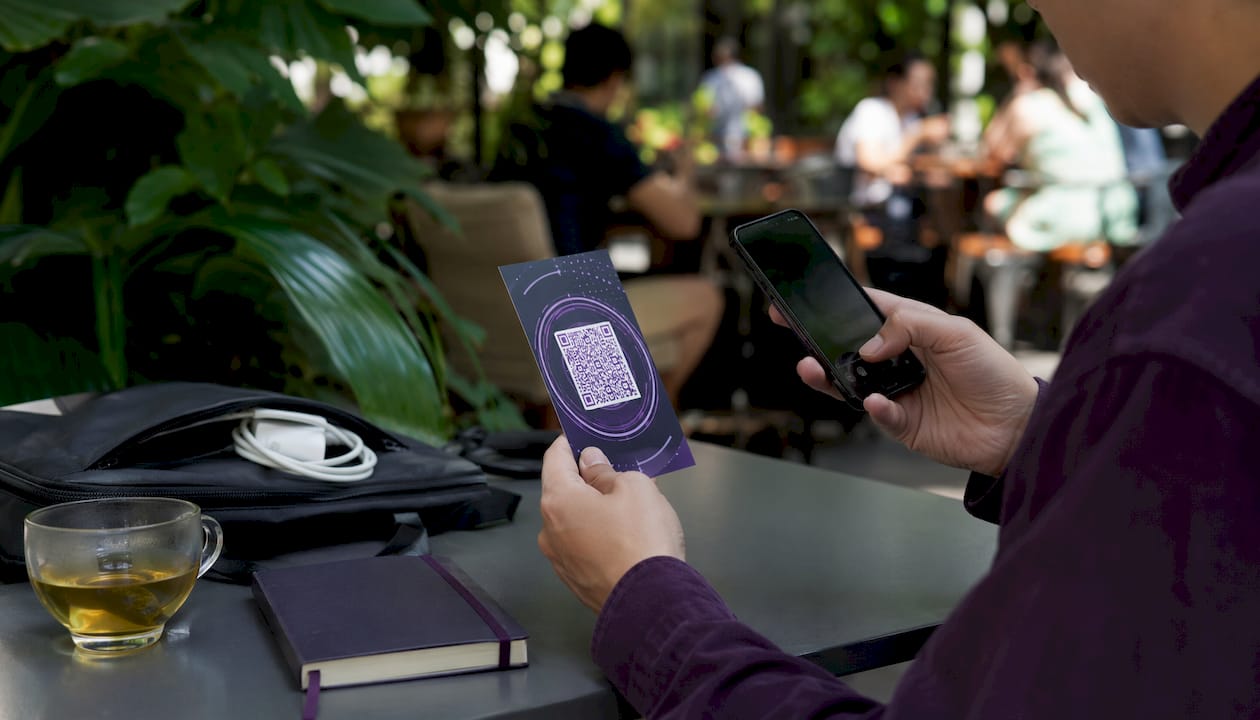
This redirect layer is what makes analytics possible. Because every scan passes through an intermediary, the platform can record the timestamp, approximate location via IP, device type, and referrer before the user ever sees your landing page. Static codes skip that layer entirely, encoding the final URL directly, so there’s nothing to log and nothing to update.
One real trade-off: the redirect layer creates a dependency. If the hosting service goes down, lets a domain expire, or shuts off your account, every printed code that points to that domain stops working. That’s not a hypothetical risk; it’s a lifecycle management issue that belongs in your planning from day one.
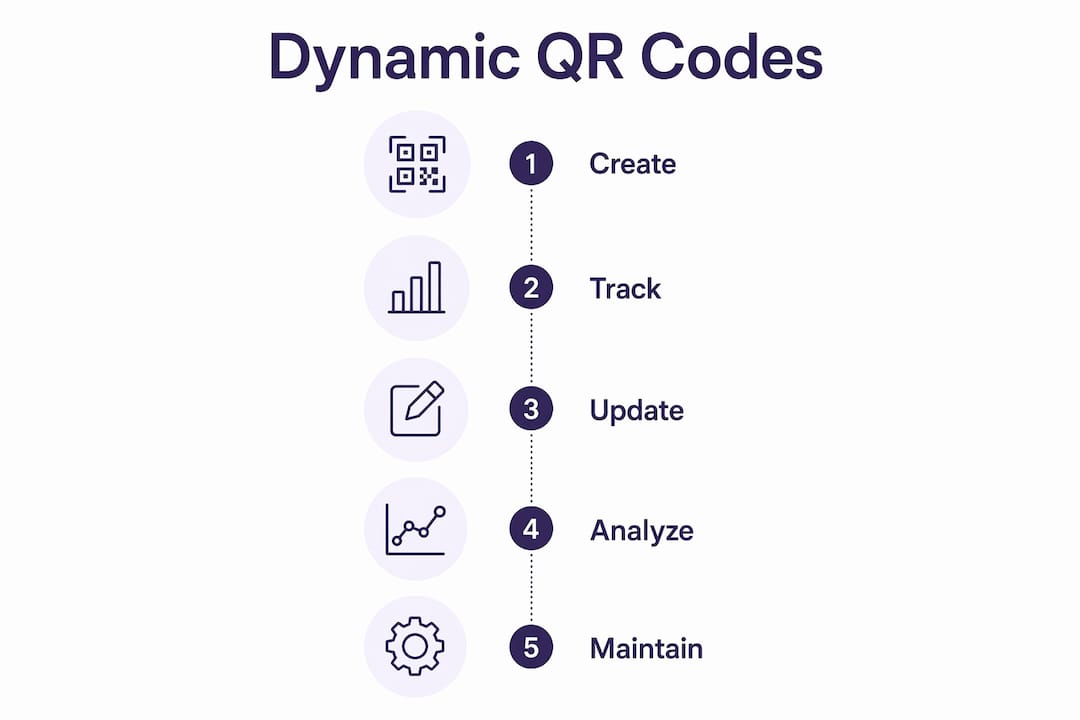
Because dynamic codes encode a short string rather than a full URL, their QR patterns are also less dense. That means they scan more reliably at smaller print sizes, which matters for packaging and point-of-sale materials where space is tight.
When should you use dynamic vs. static QR codes?
The decision rule is simple: if you need to update the destination or measure scans, use a dynamic code. If the content is permanent and tracking adds no value, static is fine.
Use dynamic codes for:
- Marketing campaigns with rotating offers or seasonal landing pages
- Restaurant menus, event schedules, or any content that changes regularly
- Product packaging where the linked page may be updated post-print
- Surveys, lead forms, or any asset where scan-to-conversion data matters
- A/B testing between two landing pages without reprinting materials
Use static codes for:
- Permanent Wi-Fi credentials or vCard data
- One-off prints where tracking has no business value
- Situations where a redirect dependency is unacceptable (e.g., archival documents)
One area that warrants extra care: product packaging governed by GS1 standards. GS1’s Digital Link specification allows QR codes on retail products, but some supply-chain systems expect to resolve the encoded URL directly. If you’re placing codes on regulated packaging, confirm whether your retailer or supply-chain partner permits redirect layers before going dynamic.
How to create a dynamic QR code from planning to deployment
-
Define your destination and tracking requirements. Decide on the landing page URL, UTM parameters, and any landing-page variants you want to test. Locking this down before generation saves you from rebuilding the setup later.
-
Choose a management approach. You can use a hosted service that handles the redirect infrastructure, or self-host a redirect layer on your own domain. Hosted services are faster to launch; self-hosting gives you full control over the domain and data.
-
Register a branded short domain. A redirect through
go.yourbrand.combuilds more trust than a generic vendor subdomain, and it keeps the code working even if you switch providers later. Own the domain yourself. -
Generate the QR code and apply branding. Add your logo, adjust colors, and choose a shape style. Keep contrast high and the quiet zone (the white border) intact. Most platforms let you download a high-resolution SVG or PNG for print.
-
Test on multiple devices before printing. Scan with at least two different phones (iOS and Android), at the smallest size you plan to print, and in low-light conditions. Confirm the redirect fires, analytics log correctly, and the mobile experience is clean.
-
Publish and set a monitoring cadence. Check link health weekly for the first month, then monthly. Watch for scan-rate drops that might signal a broken redirect or a placement issue.
Pro Tip: Before sending files to the printer, generate a test batch at the exact print dimensions and scan them from a printed proof, not a screen. Screen scans are more forgiving than ink on paper.
How do you customize a dynamic QR code without breaking it?
Customization is where most people make mistakes. The QR standard includes error correction levels (L, M, Q, H), and higher levels let you obscure more of the code with a logo or design element without losing scannability. Level H tolerates up to 30% data loss, which is why logo overlays work at all.

Keep the logo to a moderate proportion of the total code area. Go larger and you’re gambling on error correction doing heavy lifting, especially at small print sizes. Color is generally safe as long as you maintain strong contrast between the dark modules and the background. Light-on-dark can work, but test it thoroughly because some older scanners struggle.
Branded short domains do more than look professional. A URL like go.yourbrand.com/summer26 signals to users that the destination is legitimate, which meaningfully reduces scan hesitation on physical materials. Pair that with a custom landing page rather than a raw product URL and you control the full experience from scan to conversion.
Themed templates and dynamic landing pages make sense for campaigns with defined start and end dates. For evergreen product pages, a direct URL is usually cleaner and faster to load.
What analytics do dynamic QR codes give you?
Because every scan routes through the redirect layer, platforms can capture a useful set of data points without any code on the landing page itself.
| Metric | What it tells you |
|---|---|
| Scan count | Total engagement with the physical asset |
| Time and date | Peak scan windows; useful for scheduling follow-up content |
| Approximate location | Geographic concentration; helps allocate print budgets |
| Device type | iOS vs. Android split; informs mobile experience decisions |
| Referrer | Which placement or campaign drove the scan |
| Scan-to-conversion | Downstream goal completions tied to the QR entry point |
Scan-level data supports A/B testing across placements: run two codes pointing to different landing pages, compare conversion rates, and update the underperformer without touching the printed material. That’s a capability static codes simply can’t offer.
For attribution, UTM parameters are the bridge between QR scan data and your web analytics platform. Tag each dynamic code’s destination URL with utm_source, utm_medium, and utm_campaign values, and the scan shows up as a distinct channel in Google Analytics or any CRM that ingests UTM data. Platforms with API access can push scan events directly into marketing automation tools for real-time campaign triggers.
Watch for two patterns in your dashboard: a geographic spike that doesn’t match your distribution (possible bot activity or a misplaced asset) and a scan rate that drops sharply after the first week (often a placement problem, not a content problem).
What does dynamic QR code pricing actually look like?
Most platforms use a tiered model. Free plans exist and are genuinely useful for low-volume testing, but they typically come with limits on analytics history, code count, or branding options.
| Tier | Typical features | Common limits |
|---|---|---|
| Free | Basic dynamic codes, short analytics window | Vendor-branded domain, limited code count, short data retention |
| Hobby/Starter | More codes, some branding, longer history | No custom domain, limited team seats |
| Pro/Business | Custom domains, API access, bulk generation, team roles | Per-seat or per-code pricing at scale |
| Enterprise | SLA guarantees, SSO, dedicated support | Custom contracts |
Some platforms advertise unlimited free dynamic codes with full color control and logo overlays. Read the terms carefully before committing print budgets to a free tier. The questions that matter: How long is analytics data retained? What happens to your codes if you don’t upgrade? Does the free plan use a vendor-owned subdomain you can’t migrate away from?
Certain design tools integrate QR generation into creative workflows, which is convenient for designers but may not offer the analytics depth or domain control a marketing team needs.
Red flags worth avoiding: services that expire dynamic codes after a set period unless you pay, platforms that lock scan history behind expensive tiers, and any provider that doesn’t let you export your code data.
How can you tell if a QR code is dynamic or static?
The fastest check: scan the code and watch the URL bar before the final page loads. A dynamic code will briefly show a short redirect URL (something like go.brand.com/abc123 or a generic shortener domain) before resolving. A static code goes straight to the destination.
If you have access to a QR decoder tool, paste the code image and read the raw encoded string. Static codes show the full final URL or plain text. Dynamic codes show a short URL, an identifier, or a redirect path.
For developers, open your browser’s network inspector before scanning (or use a tool like Charles Proxy). A dynamic code produces a 3xx HTTP redirect from the short domain to the final URL. No redirect means the code is static.
The definitive test if you control the destination: try updating the landing page through your QR platform. If the code still works after the change, it’s dynamic. If you have to generate a new code image, it was static all along.
Best practices for printing, placement, and long-term maintenance
Print and design:
- Minimum recommended print size is 2 cm × 2 cm (roughly 0.8 in × 0.8 in) for standard scanning distance; go larger for anything viewed from more than 18 inches away
- Use vector formats (SVG or EPS) for print to avoid pixelation at large sizes
- Maintain a quiet zone of at least four modules on all sides
- Avoid printing on reflective or textured surfaces without testing first; matte finishes scan more reliably than gloss
Placement:
- Eye level and unobstructed; codes buried in a corner or placed below knee height get ignored
- On digital screens, use high-brightness displays and avoid animated backgrounds behind the code
- For packaging, avoid placing codes near folds, seams, or curved surfaces
Measurement and maintenance:
- Run a baseline scan test before launch: scan from the actual print material at the intended viewing distance
- Check link health on a regular schedule; a broken redirect on a printed piece can’t be fixed without a reprint or a physical correction
- Keep fallback landing pages active for any code that might outlive its campaign
- Document which short URL maps to which physical asset so you can update destinations quickly
Privacy and compliance: what data are you actually collecting?
Every scan through a redirect layer collects some data. The question is how much, how long it’s stored, and whether users know about it.
IP-based geolocation is the most common privacy concern. Most platforms derive approximate location from the scanner’s IP address, which in many jurisdictions qualifies as personal data under frameworks like GDPR and CCPA. If your audience includes EU residents or California consumers, your privacy policy should disclose this collection.
Privacy-first platforms address this by not storing IP addresses at all, relying instead on aggregated analytics (country-level location, device type, referrer) that provide marketing value without creating a personal data trail. That approach significantly reduces compliance overhead for public-facing campaigns.
Retention policies vary widely. Some platforms keep scan data indefinitely on paid plans; others purge it after 30 or 90 days on free tiers. Match your retention settings to your actual reporting needs and document the policy in your data inventory.
For security, the biggest risk with dynamic codes is malicious redirect: someone spoofing your short domain or compromising your redirect configuration to send users to a phishing page. Owning your branded short domain (rather than relying on a vendor subdomain) and enabling HTTPS with a valid certificate on that domain are the two most effective controls. Restrict who on your team can edit redirect destinations, and review destination changes in your audit log.
Pro Tip: Set up domain expiry alerts for any short domain used in dynamic QR codes. A lapsed domain is an open invitation for domain squatters to redirect your printed codes to malicious destinations.
Key Takeaways
Dynamic QR codes give you the ability to update destinations and collect scan analytics from printed materials, making them the practical default for any marketing or operational use case where flexibility or measurement matters.
| Point | Details |
|---|---|
| Dynamic vs. static decision | Use dynamic codes whenever you need to update the destination or track scan performance. |
| Own your short domain | Register a branded short domain yourself so your codes survive provider changes and reduce phishing risk. |
| Test before printing | Scan from actual printed proofs at the intended size and lighting before committing to a print run. |
| Analytics and UTMs | Tag destination URLs with UTM parameters to connect QR scan data to your web analytics or CRM. |
| Rdyrct for privacy-first tracking | Rdyrct provides branded QR codes and real-time analytics without storing IP addresses, available on a free plan. |
The case for keeping it simple and private
Most businesses overcomplicate their QR code setup. They chase feature-rich enterprise platforms when what they actually need is a short domain they own, a clean redirect, and a dashboard that shows scan counts by device and location without storing personal data.
The privacy angle isn’t just an ethical preference. It’s a practical one. Platforms that store IP addresses and detailed behavioral data create compliance obligations that most small marketing teams aren’t equipped to manage. A privacy-first setup, where you collect aggregate analytics and nothing more, gives you 90% of the marketing insight with a fraction of the legal exposure.
The customization vs. scannability trade-off is also more forgiving than most guides suggest. A logo at 20% coverage and a high-contrast color scheme will scan reliably in almost every real-world condition. Where teams get into trouble is when they push logo size past 30% or use low-contrast color combinations to match a brand palette. Test the actual print; don’t trust the screen preview.
For most businesses starting out, the right move is a hosted service with a branded short domain, a free or low-cost plan, and a clear data retention policy. Scale up to API integrations and team roles when the volume justifies it, not before.
Rdyrct makes privacy-first QR tracking straightforward
If the analytics-without-IP-storage approach described in this article sounds like what your campaigns need, Rdyrct is built exactly for that. It doesn’t store IP addresses, so you get real-time scan data broken down by country, device, and referrer without creating a personal data trail that triggers GDPR or CCPA headaches.

The platform covers the full workflow: branded short links on a custom domain you own, customizable QR codes with logo and color options, a UTM parameter builder, team roles for agency or in-house collaboration, and an API for connecting scan data to your existing marketing stack. The free plan is genuinely functional, not a stripped demo. Paid tiers unlock longer analytics history, more codes, and custom domain support.
Start with Rdyrct and have a branded, trackable QR code live in under ten minutes. If you’re running integrated campaigns across print and social, pairing Rdyrct’s QR tracking with a social amplification strategy gives you attribution across both channels from a single dashboard.
Useful sources
- Dynamic QR code — Wikipedia: Technical overview of how dynamic codes work, redirect mechanics, and dependency risks.
- Static vs. dynamic QR codes: What is the difference? — Jotform Blog: Practical use-case guidance and decision framework for choosing between code types.
- Rdyrct — Short links that carry your brand: Product page covering privacy-first analytics, branded QR codes, pricing tiers, and API documentation.
- Free QR Code Generator — Canva: Design-integrated QR generation; useful for teams already working in Canva’s creative workflow.
- Free Dynamic QR Code Generator — Mobirise: Example of a free-tier dynamic generator; review retention terms and domain ownership before using for production campaigns.
- EU Digital Product Passport: Reference for product packaging and supply-chain QR requirements under emerging EU regulation.
This article is general information, not legal or compliance advice. Confirm current privacy regulations and platform terms with a qualified professional for your specific situation.