Rebrandly Alternatives for Marketers: Best Branded Short Links
Rebrandly Alternatives for Marketers: Best Branded Short Links

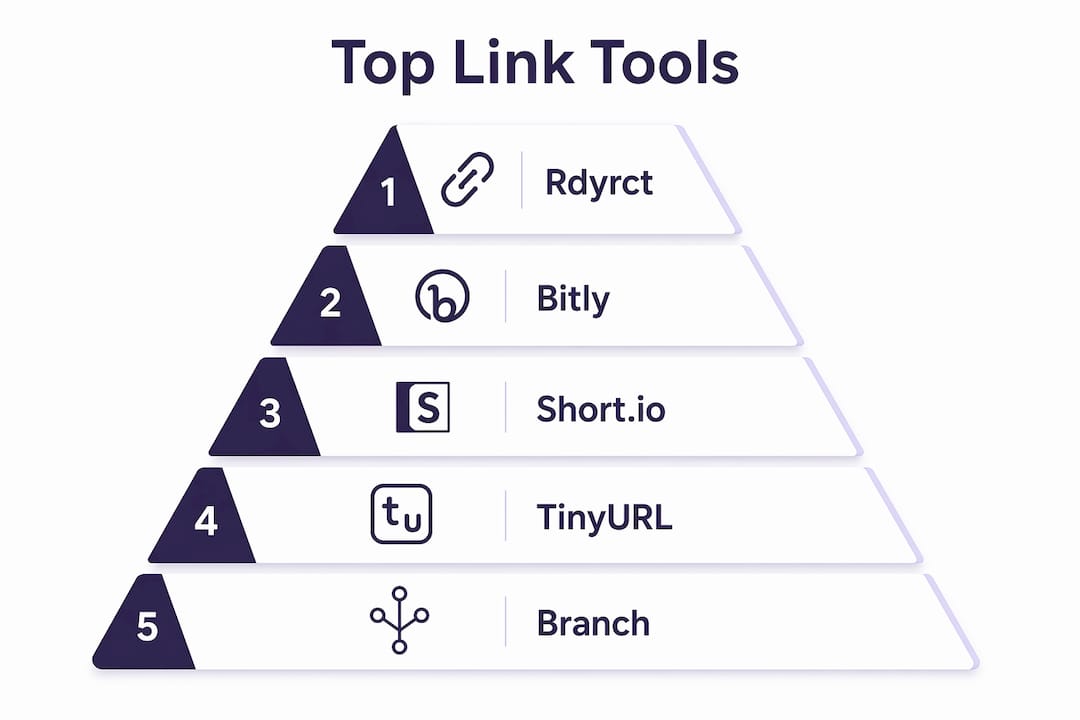
If you need a Rebrandly alternative, here are the top picks before anything else:
Rdyrct is the recommended first choice for privacy-conscious marketing teams and developers. It combines branded short links, branded QR codes, a UTM builder, real-time device and referrer analytics, and a developer API, all without storing IP addresses. A free plan exists; paid tiers unlock custom domains and deeper analytics history.
Runner-ups worth your time:
- Bitly — best for organizations that need proven, high-volume infrastructure and enterprise-grade uptime
- Branch (Branch Activation) — best for mobile-first enterprises needing cross-platform deep linking and real-time attribution
- JotURL — best for performance marketers who want granular click-level analytics and built-in UTM automation
- Short.io — best for teams that prioritize clean branded domain setup and link structure control
- ClickMeter — best for agencies running complex conversion-tracking campaigns with custom redirect rules
The comparison table in the next section covers all nine tools across pricing, analytics depth, API access, team features, and privacy posture. Detailed profiles, a pricing breakdown, and a decision checklist follow.
Table of Contents
- Which Rebrandly alternatives actually hold up under comparison?
- Detailed profiles: what each tool actually does
- How do pricing and free-tier limits compare?
- How do you pick the right alternative for your team?
- How we evaluated these alternatives
- Why programmable link management is now a baseline expectation
- Key Takeaways
- The case for privacy-first link management is stronger than most roundups admit
- Rdyrct gives you privacy-first branded links without the enterprise price tag
- Sources and further reading
Which Rebrandly alternatives actually hold up under comparison?
| Tool | Best For | Free Tier | Custom Domain | Analytics Depth | QR Codes | API/SDK | Integrations | Team/SSO | Privacy/Data Retention | Support/SLA |
|---|---|---|---|---|---|---|---|---|---|---|
| Rdyrct | Privacy-first branded links + dev API | Yes (free forever plan) | Yes | Real-time: country, referrer, device; history on paid tiers | Yes (branded) | Yes (REST API; self-host on Cloudflare) | Zapier, GA | Roles, organizations | No IP storage; minimal retention | Email; docs |
| Bitly | High-volume enterprise campaigns | Yes (limited links/month) | Paid plans only | Click, referrer, device, geography | Yes | Yes (paid plans) | Zapier, GA, CRMs | Roles, SSO on enterprise | Standard IP logging | Email, phone (enterprise) |
| Short.io | Branded domain control | Yes (limited clicks) | Yes (core feature) | Click, referrer, device | Yes | Yes | Zapier, GA | Roles | Standard | Email, docs |
| TinyURL | Quick, no-friction free links | Yes (unlimited basic) | Paid only | Basic click stats | Yes (paid) | Limited | Minimal | No team features | Standard | |
| Branch | Mobile deep linking + attribution | No free tier | Yes | Real-time cross-platform attribution | Yes | Yes (SDK + API) | GA, ad platforms, CRMs | Roles, SSO | Standard enterprise | Dedicated CSM (enterprise) |
| JotURL | Granular analytics + UTM automation | Yes (limited) | Yes | Advanced: click-level, UTM, A/B | Yes | Yes | Zapier, GA | Roles | Standard | Email, chat |
| RocketLink | Social retargeting via pixel embedding | Yes (limited) | Yes | Click + pixel events | Yes | Limited | Facebook Pixel, GA | Basic | Standard | |
| ClickMeter | Conversion tracking + redirect rules | Yes (limited) | Yes | Conversion, referrer, device, geo | Yes | Yes | Zapier, GA, ad platforms | Roles | Standard | Email, chat |
| Rebrandly | Domain-level branding across channels | Yes (limited branded links) | Yes (core feature) | Click, referrer, device | Yes | Yes (paid plans) | Zapier, GA, CRMs | Roles, SSO | Standard | Email, chat |
Pro Tip: Pricing “shapes” matter as much as the headline number. Some tools charge per link created, others per click tracked, and others per seat. A per-click model gets expensive fast on high-traffic campaigns; a per-seat model punishes large teams. Identify your volume profile before comparing prices.
Two immediate disqualifiers to flag: TinyURL has no team roles or SSO, which rules it out for any multi-person marketing operation. Bitly gates API access behind paid plans, so if developer integration is a day-one requirement, factor that into the cost calculation.
Detailed profiles: what each tool actually does

Rdyrct

Rdyrct is a privacy-by-design link management platform built for marketers and developers who want full analytics without the invasive data collection that most shorteners default to. It does not store IP addresses, which matters if your team operates under GDPR, CCPA, or just has clients who ask about data handling.
Core features include branded short links, customizable branded QR codes, a UTM parameter builder, real-time analytics broken down by country, referrer, and device, plus live click feeds and link health monitoring. The API covers programmatic link creation, and the open-source self-hosting option on Cloudflare gives developers a path to full infrastructure control. Team features include roles and organizations access management.
- Pricing: Free forever plan available; paid tiers unlock custom domains, branded QR codes, and extended analytics history
- US availability: Yes
- Integrations: Zapier, Google Analytics
- Privacy posture: No IP address storage; one of the few tools in this category with an explicit minimal-retention stance
Best for: Marketing teams and developers who need privacy-compliant branded links, a built-in UTM workflow, and API access from day one.
Bitly
Bitly is the name most people think of first when someone says “URL shortener,” and that brand recognition is backed by real infrastructure. It handles high-volume shortening reliably, and its enterprise tier includes SSO, role-based access, and dedicated support. The tradeoff is cost: custom domains and API access are locked behind paid plans, and the free tier is limited enough that most marketing teams will hit the ceiling quickly.
- Pricing: Free tier (limited links/month); paid plans start at a monthly fee; enterprise pricing on request
- Analytics: Click, referrer, device, geography
- Integrations: Zapier, Google Analytics, CRMs
- Privacy posture: Standard IP logging
Best for: Organizations that need recognizable, battle-tested infrastructure for high-volume campaigns and can justify the cost.
Short.io
Short.io focuses almost entirely on branded domain management, and it does that one thing well. Setting up a custom domain is faster here than on most competitors, and the link structure controls give teams clean, readable URLs without much configuration overhead. Analytics cover clicks, referrers, and devices, and the API is solid for teams that want to automate link creation.
- Pricing: Free tier with limited clicks; paid plans for higher volume and additional domains
- Integrations: Zapier, Google Analytics
- Privacy posture: Standard
Best for: Teams where domain-level branding is the primary requirement and speed of setup matters.
TinyURL
TinyURL is the simplest tool on this list. No account required for basic use, no configuration, and links are created in seconds. That simplicity is genuinely useful for one-off sharing, but it is not a platform for marketing teams. There are no team roles, no SSO, no meaningful analytics on the free tier, and custom domains are paid-only.
- Pricing: Free for basic use; paid plans add custom domains and basic analytics
- Privacy posture: Standard
Best for: Solo users or anyone who needs a fast, free short link with no setup and no ongoing management.
Branch (Branch Activation)
Branch operates at a different level than the other tools here. Its core strength is enterprise attribution, deep linking across mobile and web, and real-time cross-platform analytics that connect a click on a social ad to an in-app conversion. That capability is genuinely hard to replicate with simpler shorteners. The tradeoff is complexity and cost: there is no free tier, and implementation requires developer involvement.
- Pricing: No public free tier; enterprise pricing on request
- Integrations: Google Analytics, ad platforms, CRMs
- Team features: Roles, SSO
- Privacy posture: Standard enterprise data handling
Best for: Mobile-first enterprises and growth teams that need cross-platform attribution and deep linking as core infrastructure, not a nice-to-have.
JotURL
JotURL is built for performance marketers who live in their analytics dashboards. Click-level tracking, A/B redirect testing, UTM automation, and conversion tracking are all first-class features rather than add-ons. The interface is denser than most tools here, which is a feature for power users and a friction point for teams that want simplicity.
- Pricing: Free tier with limited links; paid plans for higher volume and advanced analytics
- Integrations: Zapier, Google Analytics
- QR codes: Yes
Best for: Performance marketers who need detailed attribution, UTM consistency at scale, and A/B link testing.
RocketLink
RocketLink takes a specific angle: it lets you embed retargeting pixels into links that point to third-party pages. When someone clicks your link to an external article or landing page, your Facebook Pixel or Google Ads tag fires, adding them to your retargeting audience. That is a genuinely useful capability for affiliate marketers and social advertisers, and it is not something most shorteners offer.
- Pricing: Free tier with limited links; paid plans for more pixels and higher volume
- Integrations: Facebook Pixel, Google Analytics
- API: Limited
Best for: Social and affiliate marketers who want to build retargeting audiences from clicks on external content.
ClickMeter
ClickMeter is the most feature-dense tracking tool on this list. Custom redirect rules, conversion monitoring, split testing, and deep referrer analysis make it well-suited for agencies managing multiple clients and complex campaign structures. The learning curve is steeper than simpler tools, and pricing reflects the feature depth.
- Pricing: Free tier with limited clicks; paid plans scale with volume and features
- Integrations: Zapier, Google Analytics, ad platforms
- API: Yes
Best for: Agencies and advanced marketers who need conversion-level attribution and the ability to build complex redirect logic.
Rebrandly
Rebrandly is a strong branded-link platform. Links do not expire unless manually deleted, which makes it suitable for long-lived campaigns and evergreen content. Custom domain support is a core feature, and the Zapier integration is well-documented. The free tier is limited, and paid tiers add branded links, higher click tracking, and integrations. It is a reasonable choice for brand-focused teams, but the privacy posture is standard, and API access is gated behind higher plans.
Best for: Brands that want domain-level branding across marketing channels and do not need privacy-first data handling.
Pro Tip: Before committing to any platform, check whether link editing is available on your target plan. Some tools lock link-destination editing to higher tiers, which creates a real problem when a campaign URL changes mid-flight.
How do pricing and free-tier limits compare?
| Tool | Free Tier Limits | Entry Paid Plan | Pricing Model | Notable Limits |
|---|---|---|---|---|
| Rdyrct | Free forever; limits on branded QR codes, custom domains, analytics history | Paid tier (see rdyrct.com) | Tiered flat | Custom domains and branded QR codes on paid tiers |
| Bitly | Limited links/month; no custom domain | Monthly subscription | Per-seat / tiered | API access on paid plans only |
| Short.io | Limited clicks/month | Monthly subscription | Tiered flat | Higher click volumes on paid plans |
| TinyURL | Unlimited basic short links | Monthly subscription | Tiered flat | Custom domains paid-only; analytics minimal on free |
| Branch | No free tier | Enterprise pricing | Enterprise contract | Requires developer implementation |
| JotURL | Limited links/month | Monthly subscription | Tiered flat | Advanced analytics on paid plans |
| RocketLink | Limited links/month | Monthly subscription | Tiered flat | Pixel count and volume limited on free |
| ClickMeter | Limited clicks/month | Monthly subscription | Per-click / tiered | Conversion tracking on paid plans |
| Rebrandly | Limited branded links; limited click tracking | Monthly subscription | Tiered flat | API access on higher plans; branded domain limits on free |
Three pricing traps come up repeatedly in this category:
- Branded domains behind higher tiers. Several tools advertise custom domain support but bury it in a mid-tier or business plan. Confirm the exact plan level before signing up.
- API access gated by plan. If your team needs programmatic link creation from day one, check whether the entry paid plan includes API access or whether you need to upgrade again.
- Per-click or per-link fees at scale. A flat-tier model is predictable; a per-click model can spike unexpectedly during a high-traffic campaign. Know which model you are buying.
Switching costs are real and often underestimated. If you have thousands of short links on a branded domain, migrating means either redirecting the old domain (which requires keeping the old account active) or accepting broken links. Historical analytics rarely transfer between platforms. Run any migration during a low-traffic period and keep the old account live for at least 90 days.
Pro Tip: When evaluating free tiers, test the actual limits with real campaign traffic, not synthetic clicks. Some platforms throttle analytics or delay reporting on free plans in ways that only show up under real load.
How do you pick the right alternative for your team?
The decision comes down to five questions, answered in order:
- Do you need a custom branded domain? If yes, eliminate TinyURL on the free tier and any tool that gates domains behind an enterprise plan you cannot afford.
- Do you need API or SDK access? If yes, eliminate tools that lock API access to business or enterprise tiers unless you are already at that budget. Rdyrct, Short.io, JotURL, and ClickMeter all offer API access at reasonable plan levels.
- What analytics depth do you actually need? Basic click counts are free almost everywhere. Real-time referrer, device, and geo breakdowns narrow the field. Cross-platform mobile attribution narrows it to Branch.
- Does your team have privacy or compliance requirements? If you are handling data under GDPR, CCPA, or a client contract that restricts IP collection, most tools on this list will not pass a data-handling review. Rdyrct’s no-IP-storage posture is the exception.
- What is your team size and governance model? Solo users can ignore SSO and roles. Teams of five or more should confirm role-based access is available on the plan they intend to buy, not just on enterprise.
Questions worth asking during a trial or vendor call:
- What is the API rate limit on my target plan?
- How long is analytics history retained, and does that change if I downgrade?
- How many steps does custom domain setup require, and is DNS propagation documented?
- Is SSO available on the plan I am evaluating, or only on enterprise?
- What is the uptime SLA, and where is the status page?
- Can I edit a link’s destination after it goes live, and on which plan?
Red flags that should eliminate a vendor:
- No API access on any paid plan below enterprise
- No custom domain support at all
- Privacy policy that does not address IP logging or data retention windows
- No role-based access for teams, even on paid plans
- No public status page or documented uptime history
Pro Tip: Run a 30-day pilot with real campaign traffic. Create links programmatically via the API, apply a consistent UTM naming convention (source/medium/campaign/content), and verify that the analytics match what you see in Google Analytics. Discrepancies in that pilot are a reliable signal of how the platform will behave at scale.
How we evaluated these alternatives
Every tool in this roundup was assessed against the same eight criteria, weighted by how often they appear as decision drivers in third-party roundups and comparisons:
- Branding and custom domains — whether custom domain support is a core feature or an upsell
- Analytics depth — real-time reporting, referrer and device breakdowns, history retention windows
- Developer tooling — REST API availability, SDK support, webhook options, and documentation quality
- Integrations — Zapier, Google Analytics, CRM connections, and ad platform compatibility
- Team and governance — role-based access, SSO availability, and organization-level controls
- Pricing model — flat tier vs. per-click vs. per-seat, and where key features unlock
- Privacy and data retention — IP logging policy, data retention windows, and compliance posture
- Reliability and support — public status pages, documented SLA, and available support channels
Evaluation methods included documentation review, trial account testing, pricing page verification, API documentation inspection, and cross-referencing with third-party review platforms including G2’s Rebrandly alternatives list. Pricing and feature availability were verified in 2026; vendor pages change frequently, so confirm current details directly before purchasing.
One broader context point: Google’s URL Shortener (goo.gl) was shut down after stopping new link creation in 2018, which pushed many teams to evaluate alternatives for the first time. That migration wave accelerated the market’s shift toward branded, analytics-rich platforms rather than simple redirect services.
Pro Tip: Check the vendor’s changelog or release notes during your trial. A platform that has shipped meaningful updates in the past six months is a better long-term bet than one with a static feature set.
Why programmable link management is now a baseline expectation
The market has moved. Marketing teams increasingly require programmable link management as a baseline: open APIs, webhooks, and SDK integrations are no longer differentiators for enterprise tools. They are table stakes for any platform that wants to serve a growth team in 2026.
The practical reason is automation. When link creation is manual, UTM parameters drift. Different team members apply different naming conventions, campaign data fragments across sources, and attribution reports become unreliable. An API-driven workflow enforces consistency: every link created programmatically carries the correct UTM structure, the correct redirect rules, and the correct analytics tags.
Programmable link management enables consistent UTM injection, server-side redirect logic, bulk link creation, and dynamic retargeting, capabilities that manual shorteners simply cannot replicate at campaign scale. Platforms that offer open APIs and webhooks give growth teams the infrastructure to connect link data directly to CRMs, analytics pipelines, and ad platforms without manual export steps.
Three use cases where programmable links are decisive rather than just convenient:
- Mobile attribution: Deep linking that routes users to the correct in-app destination based on device, install status, and campaign source requires SDK-level integration, not a simple redirect.
- Partner and affiliate referrals: Bulk link generation via API, with per-partner UTM parameters injected automatically, eliminates the manual overhead that makes affiliate programs hard to scale.
- Offline-to-digital QR campaigns: A branded QR code printed on packaging or signage needs to be updatable without reprinting. Server-side redirect logic, accessible via API, makes that possible.
Integrations and APIs are consistently the top decision drivers for marketing teams evaluating link managers. A tool without a documented, accessible API is a tool that will create manual work as your stack grows. For teams evaluating feature parity across platforms, technology comparison roundups can surface migration considerations worth reviewing before committing.
Key Takeaways
Rdyrct is the strongest choice for marketing teams that need privacy-compliant branded links, a built-in UTM workflow, and API access without moving to an enterprise contract.
| Point | Details |
|---|---|
| Privacy posture is a real differentiator | Only Rdyrct explicitly avoids IP storage; most tools use standard IP logging with no stated retention limit. |
| API access tier matters | Several tools gate API access to business or enterprise plans; confirm this before selecting an entry-level paid plan. |
| Free tiers have hard ceilings | Custom domains, branded QR codes, and analytics history are almost universally locked behind paid tiers across all tools. |
| Programmable links reduce UTM drift | API-driven link creation enforces consistent UTM naming, which directly improves attribution accuracy in Google Analytics. |
| Rdyrct for privacy-first teams | Rdyrct’s no-IP-storage stance, branded QR codes, UTM builder, and open API make it the practical first choice for privacy-conscious growth teams. |
The case for privacy-first link management is stronger than most roundups admit
Most link-management comparisons treat privacy as a compliance checkbox: does the tool mention GDPR? Does it have a privacy policy? That framing misses the actual risk. The question is not whether a platform has a privacy policy. It is what data the platform collects by default, how long it retains it, and whether your clients or legal team would be comfortable with that answer.
Standard IP logging is the default across almost every tool in this category. That means every click on every link you create generates a data point tied to a user’s IP address, stored on infrastructure you do not control, under a retention policy that may not be publicly documented. For most B2C campaigns, that is an accepted tradeoff. For healthcare, legal, financial services, or any client operating under a data processing agreement, it is a liability.
Rdyrct’s no-IP-storage architecture is not a marketing claim. It is a structural design choice that changes what data exists to be breached, subpoenaed, or mishandled. The analytics it does collect, country, referrer, device type, are genuinely useful for campaign optimization without requiring individual-level tracking. That is a meaningful distinction, and it is one that most roundups gloss over in favor of feature count comparisons.
The other thing roundups underweight is switching cost. Branded short links are permanent infrastructure. The domain in your short link appears in printed materials, email campaigns, social bios, and QR codes. Migrating away from a platform means either keeping the old account live indefinitely or accepting that every link you have ever published breaks. Choose a platform you can commit to, not just the one with the best free tier today.
Rdyrct gives you privacy-first branded links without the enterprise price tag
Every tool in this comparison does something well. But if your team needs branded short links, real-time analytics, a UTM builder, and an API, all without handing over your users’ IP addresses, the list gets short fast.

Rdyrct is built for exactly that situation. The free plan gets you started immediately. Adding a custom branded domain and branded QR codes takes minutes on a paid tier, not a support ticket. The developer API is available without an enterprise contract, and the open-source self-hosting option on Cloudflare gives your engineering team full infrastructure control if you need it. Real-time analytics cover country, referrer, and device without storing IP addresses, so your privacy posture holds up whether you are serving consumers or enterprise clients.
Start with the free plan at rdyrct.com, add a branded domain in week two, and run your next campaign through the API to validate the analytics workflow. That pilot will tell you everything you need to know.
Sources and further reading
For pricing verification, API documentation, and feature confirmation, go directly to vendor pages, since pricing in this category changes frequently.
- Rdyrct product page and pricing — features, plan tiers, API docs, and trial signup
- G2: Top Rebrandly Alternatives & Competitors — third-party user reviews and feature ratings across the category
- Zapier: The 7 best URL shorteners — independent roundup covering Rebrandly, Bitly, Short.io, and TinyURL with pricing notes
- Branch: 7 Best Rebrandly Alternatives for Scalable Link Management — enterprise-focused comparison covering deep linking, attribution, and API requirements
- TrustRadius: Bitly vs. Rebrandly — user-sourced comparison of Bitly and Rebrandly across enterprise use cases
- Short.io: An Alternative to Rebrandly — Short.io’s own feature comparison against Rebrandly
- Rebrandly official site — link permanence policy, pricing, and feature documentation
- Flyn: Google URL Shortener Replacement — context on goo.gl deprecation and the migration to modern link managers
- YOURLS and Polr — open-source self-hosted shortener options for teams that want full infrastructure ownership