Rebrandly vs Bitly: Best Link Shortener in 2026
Rebrandly vs Bitly: Best Link Shortener in 2026

For most marketing teams and SMBs that care about branded links and clean analytics, Rdyrct is the strongest starting point in 2026. It delivers custom domains, privacy-preserving analytics (no IP storage), and branded QR codes on a free tier, without the upgrade walls that frustrate teams on Rebrandly and Bitly. If you’re running campaigns where data compliance matters, that distinction is worth more than it may sound.
Rebrandly still earns its place for teams that need to manage multiple branded domains directly from a dashboard and want the ability to edit redirect destinations after a link goes live. Bitly remains the default for large enterprises that need proven uptime at scale and a mature integration ecosystem. The newer entrants, Dub, Short.io, and LinkDrip, each fill narrower niches covered below.
| Tool | Best For | Custom Domain (Free Tier) | Analytics Depth | Price Shape |
|---|---|---|---|---|
| Rdyrct | Privacy-first branded links, SMBs, marketing teams | Yes | Geo, referrer, device, real-time | Free tier + paid plans |
| Rebrandly | Multi-domain management, link editing | Limited | Geo, referrer, device | Freemium + paid tiers |
| Bitly | Enterprise scale, broad integrations | No (paid only) | Geo, referrer, device | Free (limited) + paid |
| Dub | Modern UX, flexible pricing | Yes | Geo, referrer, device | Free + paid |
| Short.io | Bulk editing, developer tools | Yes | Geo, referrer, device, GA4 | Free + paid |
| LinkDrip | Campaign-driven workflows | Limited | Campaign-focused | Paid |
Quick selection rules:
- If you need privacy-compliant analytics without storing visitor IPs, choose Rdyrct.
- If you manage five or more branded domains and edit live redirects regularly, Rebrandly fits better.
- If you’re an enterprise team with existing Salesforce or HubSpot integrations, Bitly’s ecosystem is hard to beat.
- If developer ergonomics and bulk slug management are the priority, Short.io is worth a close look.
- If budget is tight and modern UX matters, Dub is a credible alternative.
Table of Contents
- How does Rebrandly vs Bitly compare on core features?
- What do these platforms actually cost?
- Which platform gives you the best analytics?
- How do custom domains and branding actually work?
- What should developers know about APIs and integrations?
- What do enterprise and compliance teams need to check?
- How do you migrate existing short links without breaking campaigns?
- Which tool fits your specific situation?
- Why Rdyrct’s privacy-first approach matters for procurement
- What’s the right next step after reading this?
- Key Takeaways
- The part the feature tables don’t tell you
- Rdyrct gives you branded links without the privacy trade-off
- Useful sources
How does Rebrandly vs Bitly compare on core features?
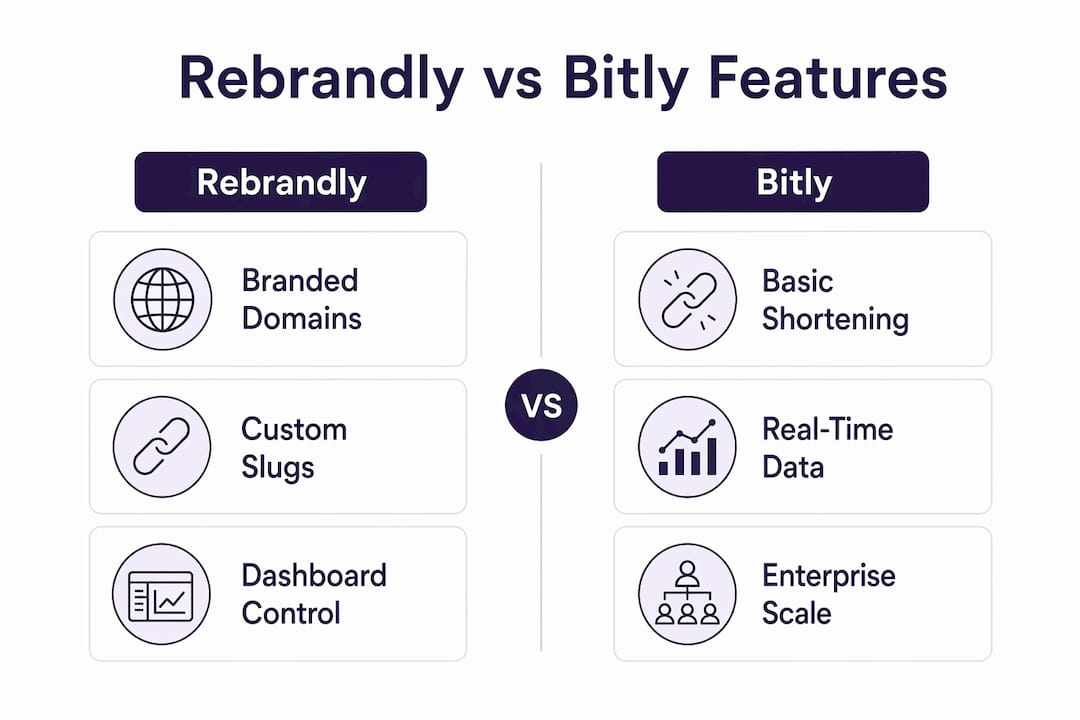
Branding and domain control are the two axes where these platforms diverge most sharply. The table below maps the features marketing teams actually use day-to-day.
| Feature | Rdyrct | Rebrandly | Bitly | Dub | Short.io | LinkDrip |
|---|---|---|---|---|---|---|
| Custom domains & branded links | Yes (free tier) | Yes (paid tier) | Paid only | Yes | Yes | Limited |
| Link editing after creation | Yes | Yes | Yes (paid) | Yes | Yes | Yes |
| QR code generation | Yes (branded) | Yes | Yes | Yes | Yes | Limited |
| 301 redirect type | Yes | Yes | Yes | Yes | Yes | Yes |
| Bulk editing & templates | Yes | Limited | Limited | Limited | Yes | Limited |
| Tag/slug controls | Yes | Yes | Yes | Yes | Yes | Limited |
| Team roles & permissions | Yes | Yes | Yes | Yes | Yes | Limited |
| UTM parameter builder | Yes | Yes | Yes | Yes | Yes | Limited |
A few caveats worth knowing before you commit:
- Rebrandly’s link editing is one of its most praised capabilities among users. You can change the destination URL of a live short link without breaking the slug, which matters enormously for evergreen campaign assets.
- Bitly locks link editing behind paid tiers on some plans. If you’re on the free plan and a destination URL changes, you’re creating a new link and losing historical click data.
- Rdyrct’s branded QR codes are available on the free tier, a differentiator most competitors reserve for paid plans.
- Short.io’s bulk editing is the strongest in the group for teams managing hundreds of slugs simultaneously, making it the go-to for developer-heavy workflows.
- LinkDrip’s feature set is thinner on the governance side. Teams needing role-based access controls or audit logs should look elsewhere.
The UI gap between these platforms is real. Bitly’s interface has drawn consistent criticism for feeling dated, a point that comes up repeatedly in third-party reviews. Dub and Rdyrct both present cleaner, more modern dashboards that reduce onboarding friction for non-technical team members.

What do these platforms actually cost?
The pricing model you choose shapes your total cost more than the headline number. Free tiers look similar on paper but diverge fast once you add branded domains, analytics history, or team seats.
| Platform | Free Tier | Entry Paid Plan | Branded Domain on Free | Link Limits | Analytics Retention |
|---|---|---|---|---|---|
| Rdyrct | Yes (free forever) | Hobby + Pro tiers | Yes | Tiered by plan | Tiered by plan |
| Rebrandly | Yes (freemium) | Paid tiers | Limited | Tiered | Tiered |
| Bitly | Yes (very limited) | Paid plans | No | 10 links/month (free) | Limited on free |
| Dub | Yes | Paid plans | Yes | Tiered | Tiered |
| Short.io | Yes | Paid plans | Yes | Tiered | Tiered |
| LinkDrip | No | Paid only | Limited | Tiered | Tiered |
Bitly’s free plan is effectively a trial. Ten links per month with no custom domain support means any team doing real campaign work hits the paywall almost immediately. Analytics retention is another hidden cost: some legacy platforms lock year-long history behind higher tiers, which means you’re paying not just for features but for access to your own historical data.
Practical tips for comparing effective cost:
- Calculate per-link cost at your expected monthly volume, not just the plan price. A $29/month plan with a 500-link cap costs more per link than a $49/month plan with 5,000 links.
- Check domain costs separately. Some platforms charge per custom domain on top of the plan fee.
- Annual vs. monthly billing typically saves 20–30% on most platforms. If you’re committing for a year, run the math before signing monthly.
- Watch for analytics-retention paywalls. If your team needs 12+ months of click history for attribution reporting, verify that your target plan includes it before you migrate.
Rdyrct’s free-forever tier with custom domain support is genuinely unusual in this market. Most competitors treat the custom domain as the first paid-tier unlock.
Which platform gives you the best analytics?
Rdyrct delivers the most privacy-friendly analytics in this group without sacrificing the metrics marketers actually need. It tracks geo, referrer, device type, and UTM parameters in real time, and does so without storing visitor IP addresses. That combination is rare.

| Metric | Rdyrct | Rebrandly | Bitly | Dub | Short.io |
|---|---|---|---|---|---|
| Geo (country/region) | Yes | Yes | Yes | Yes | Yes |
| Referrer tracking | Yes | Yes | Yes | Yes | Yes |
| Device type | Yes | Yes | Yes | Yes | Yes |
| UTM parsing | Yes | Yes | Yes | Yes | Yes |
| Real-time reporting | Yes | Yes | Delayed (noted in reviews) | Yes | Yes |
| Conversion/event tracking | Limited | Limited | Limited | Limited | Via GA4/Pixel |
| Data export (CSV/API) | Yes | Yes | Yes (paid) | Yes | Yes |
| IP address storage | No | Not specified | Not specified | Not specified | Not specified |
Bitly’s reporting cadence has drawn criticism for not being real-time on all plans. For teams running time-sensitive paid campaigns where click velocity matters in the first hour, delayed reporting is a real operational problem.
Pro Tip: Before committing to any platform, run a two-week parallel test. Create the same link on your current tool and your candidate platform, drive identical traffic, and compare click counts and referrer breakdowns against your GA4 data. Discrepancies above 5–10% signal tracking gaps worth investigating.
Analytics retention windows matter more than most teams realize until they’re six months into a campaign and need to pull historical data for a quarterly review. Some platforms cap free-tier retention at 30 days. If your attribution model looks back 90 days or more, that cap forces an upgrade or a data gap.
How do custom domains and branding actually work?
The short answer: Rdyrct and Short.io let you connect a custom domain on the free tier. Rebrandly requires a paid plan for full domain functionality. Bitly gates custom domains entirely behind paid plans.
Branding setup checklist:
- Register a short, memorable domain (ideally under 10 characters). When evaluating options, brandable domain marketplaces can surface pre-vetted short names that aren’t available on standard registrars.
- Point your DNS A record or CNAME to the platform’s servers.
- Verify domain ownership through the platform dashboard.
- Confirm SSL is provisioned (most platforms handle this automatically via Let’s Encrypt).
- Set a default redirect for the root domain (where bare domain traffic lands).
- For multi-campaign programs, set up subdomains per channel (e.g.,
go.yourbrand.comfor email,s.yourbrand.comfor SMS).
Choosing a subdomain strategy by channel:
- SMS campaigns: Use the shortest possible subdomain. Carriers sometimes flag long URLs as spam; a clean
s.brand.coformat reduces that risk. - Paid ads: Use a subdomain that matches the campaign theme (
promo.brand.com) to reinforce the offer in the link itself. - Organic social: A single consistent subdomain (
go.brand.com) builds recognition over time and makes your links instantly identifiable. - Email: Match the subdomain to your email sending domain where possible to reduce spam-filter friction.
One point that gets underestimated: generic short domains carry reputation risk. Because bit.ly and similar domains are used by millions of senders, including bad actors, some email clients and security tools flag them preemptively. A branded short domain sidesteps that problem entirely and typically improves click-through rates in email and SMS.
Slug length matters too. Human-readable paths like /summer-sale outperform random character strings in click-through tests because recipients can infer the destination before clicking.
What should developers know about APIs and integrations?
Rdyrct offers a REST API with link creation, editing, and analytics endpoints, along with API key authentication. For teams building custom workflows or integrating link creation into their own tools, that’s the baseline you need.
Developer features to verify before committing:
- REST API endpoints for link creation, editing, and deletion
- Webhook support for click events (critical for real-time downstream triggers)
- SDK availability (JavaScript, Python, or your stack’s language)
- OAuth vs. API key authentication (OAuth is preferable for multi-user apps)
- Rate limits per plan tier (some platforms throttle aggressively on lower tiers)
- Bulk creation endpoints (essential for programmatic campaign setup)
- Documentation quality and community activity (GitHub issues, changelog cadence)
Integration checklist for marketing workflows:
- Zapier: Rebrandly and Bitly both have native Zapier integrations. Rdyrct’s API supports Zapier via webhooks for custom workflows.
- Google Analytics / GA4: Short.io has direct GA4 and Google Tag Manager integration. Most platforms support UTM parameters natively, which is the practical equivalent for attribution.
- Segment: Short.io and Bitly have documented Segment integrations. For other platforms, Segment’s webhook source can ingest click events from any platform that supports outbound webhooks.
- CRM connectors: Bitly’s integration ecosystem is the most mature here, with documented connections to Salesforce and HubSpot.
- Slack: Bitly and Rebrandly both offer Slack apps for link creation without leaving the chat interface.
Marketing teams should validate API rate limits and webhook reliability during an early proof-of-concept, because these often cause integration failures at scale even when feature parity looks sufficient on paper. A platform that handles 10 API calls per second in a demo can become a bottleneck when your automation fires 500 link-creation requests during a campaign launch.
What do enterprise and compliance teams need to check?
For privacy-sensitive teams, Rdyrct’s no-IP-storage policy is the most concrete compliance differentiator in this comparison. Most other platforms collect and retain visitor IP addresses by default, which creates GDPR and CCPA exposure for teams operating in regulated environments.
Enterprise security checklist:
- SSO/SAML integration (required for most corporate IT policies)
- Role-based access control with granular permissions
- Audit logs with timestamped user actions
- SOC 2 Type II attestation (request the report, not just the badge)
- SLA with defined uptime guarantees and incident response times
- Data retention controls and export rights (can you pull all your data if you leave?)
- IP address handling and privacy policy specifics
- GDPR/CCPA data processing agreements
Bitly is widely cited for strong uptime and scalability. Long-term users report rare outages and consistent performance at high link volumes. For enterprise procurement teams, that track record is a meaningful signal — but it should be verified against current SLA documentation, not just user reviews.
Bitly’s scalability and availability record is genuinely strong. That matters for enterprises where a link-shortener outage during a product launch or live event has direct revenue consequences. Request the uptime history and SLA terms in writing during procurement.
SOC 2 attestations vary by platform. Bitly has published compliance documentation. Rebrandly’s enterprise tier includes compliance features. For Rdyrct, the privacy architecture (no IP storage) reduces the scope of what needs to be secured, which is a different but equally valid compliance posture for teams whose primary concern is data minimization rather than enterprise SSO.
How do you migrate existing short links without breaking campaigns?
The safest migration sequence: export all existing links, map slugs to new destinations, set up redirects on the new platform, test on a staging subdomain, then cut DNS over while keeping the old provider active for a transition window.
Migration checklist (step by step):
- Export your full link inventory from the current platform (CSV or API pull). Include slug, destination URL, creation date, and click totals.
- Audit for active links. Filter for links with clicks in the last 90 days. These are your priority redirects.
- Map slugs to new platform. Recreate each active link on the new platform with the identical slug where possible.
- Set up 301 redirects for any slugs that can’t be replicated exactly, pointing old paths to new destinations.
- Test on a staging subdomain before touching production DNS. Verify that every priority link resolves correctly.
- Cut DNS over by updating your domain’s A record or CNAME to the new platform’s servers.
- Keep the old provider active for 30 days after cutover to capture late clicks from cached links in email clients and social feeds.
- Monitor redirect performance daily for the first two weeks. Watch for 404s and unexpected redirect chains.
Typical timeline for a mid-size marketing program (500–2,000 active links):
- Export and audit: 1–2 days
- Slug mapping and recreation: 2–5 days
- Staging test: 1–2 days
- DNS cutover and monitoring: 1 day cutover, 30 days monitoring window
Pro Tip: Historical analytics don’t transfer between platforms. Before you migrate, export all click data from your current provider and store it in a Google Sheet or data warehouse. Then add a UTM parameter convention note to your new platform’s links so future attribution is consistent. Stitching pre- and post-migration data is much easier when UTM structures match.
Which tool fits your specific situation?
The right platform depends on what you’re optimizing for. Here’s how the options map to the most common buyer profiles.
| Persona | Recommended Platform | Key Reason |
|---|---|---|
| Privacy-conscious marketing team / SMB | Rdyrct | No IP storage, branded links on free tier, real-time analytics |
| Multi-domain brand manager | Rebrandly | Direct domain connect, link editing, QR codes |
| Enterprise with existing integrations | Bitly | Proven uptime, mature CRM/Slack/Zapier ecosystem |
| Developer-led team, bulk workflows | Short.io | Bulk editing, GA4/Segment integration, API depth |
| Budget-constrained team, modern UX | Dub | Clean interface, flexible pricing, custom domains |
| Campaign-driven solo marketer | LinkDrip | Campaign tooling, alternative workflow features |
Scenario-based selection rules:
- Running GDPR-sensitive campaigns in the EU or handling healthcare/finance data? Rdyrct’s no-IP-storage architecture reduces your compliance surface area.
- Managing 10+ branded domains for different product lines or clients? Rebrandly’s domain management dashboard is purpose-built for that workflow.
- Need your link shortener to talk to Salesforce, HubSpot, and Slack without custom code? Bitly’s native integrations save significant engineering time.
- Building a programmatic link-creation pipeline for a SaaS product? Short.io’s bulk API and developer documentation are the most mature for that use case.
- Just starting out and want branded links without a credit card? Rdyrct’s free forever tier with custom domain support is the lowest-friction entry point.
Why Rdyrct’s privacy-first approach matters for procurement
Rdyrct delivers marketer-grade analytics without storing visitor IP addresses. That’s not a minor configuration choice. It’s an architectural decision that affects what data you’re responsible for under GDPR, CCPA, and similar frameworks.
The platform tracks what marketers actually need: country-level geo, referrer source, device type, UTM parameters, and real-time click feeds. What it doesn’t collect is the personally identifiable information that creates compliance exposure. For a team running campaigns across the US and EU, that distinction simplifies your data processing agreement obligations considerably.
| Analytics Capability | Rdyrct | Notes |
|---|---|---|
| Country-level geo | Yes | No city/ZIP-level (reduces PII risk) |
| Referrer source | Yes | Full referrer string |
| Device type | Yes | Mobile, desktop, tablet |
| UTM parameter parsing | Yes | Full campaign/source/medium/content/term |
| Real-time click feed | Yes | Live activity monitoring |
| IP address storage | No | Core privacy differentiator |
| Historical retention | Tiered by plan | Longer history on paid tiers |
| API access | Yes | Link creation, analytics, management |
Rdyrct positions itself as a privacy-first URL shortening service that provides branded short links and analytics without storing IP addresses. Teams evaluating this claim should review Rdyrct’s privacy policy and data-handling documentation directly to confirm it applies to their specific deployment scenario.
The self-hosting option is worth noting for teams with strict data residency requirements. Rdyrct is available as open-source software deployable on Cloudflare, which means your link data never leaves your own infrastructure. That’s a capability neither Rebrandly nor Bitly offers.
For procurement teams, the combination of no-IP analytics, free custom domains, branded QR codes, and a self-hosting path covers the three most common objections in a security review: data minimization, brand control, and infrastructure sovereignty.
What’s the right next step after reading this?
Start a 30-day trial with Rdyrct. Connect a custom domain, create 10 representative campaign links, verify that analytics match your GA4 data within a reasonable margin, and test redirect behavior across mobile and desktop.
30-day trial verification checklist:
- Connect your branded short domain and confirm SSL provisioning.
- Create links covering your main campaign types (email, paid, social, SMS).
- Run a click test from multiple devices and locations; confirm geo and device data appear in the dashboard.
- Compare click counts against GA4 session data for the same links over a 7-day window.
- Test a redirect edit on a live link to confirm the slug persists correctly.
Before signing any enterprise contract:
- Request the vendor’s SOC 2 report or equivalent security documentation.
- Confirm SLA uptime terms and incident response commitments in writing.
- Verify data export rights: can you pull your full link inventory and analytics history if you switch providers?
- Test API rate limits at your expected peak volume, not average volume.
Key Takeaways
For privacy-focused marketing teams, Rdyrct’s combination of no-IP analytics, free custom domains, and branded QR codes makes it the strongest starting point among the six platforms compared here.
| Point | Details |
|---|---|
| Privacy differentiator | Rdyrct does not store visitor IP addresses, reducing GDPR/CCPA compliance exposure. |
| Free tier value | Rdyrct and Short.io both offer custom domains on free tiers; Bitly gates this behind paid plans. |
| Analytics retention risk | Some legacy platforms lock historical data behind higher tiers, creating hidden upgrade costs. |
| Migration safety | Keep your old provider active for 30 days post-cutover to capture late clicks from cached links. |
| Rdyrct recommendation | For branded links with privacy-compliant analytics, Rdyrct is the strongest fit for SMBs and marketing teams. |
The part the feature tables don’t tell you
Most link-shortener comparisons treat this as a features race. More integrations, more analytics columns, more plan tiers. That framing misses the actual decision most marketing teams face.
The real question isn’t which platform has the longest feature list. It’s which platform you’ll still trust with your campaign infrastructure in two years. That means thinking about three things the spec sheets skip: data ownership, vendor dependency, and what happens when your compliance requirements change.
Generic short domains are a quiet liability. When bit.ly links get flagged by a spam filter or a security tool, every user of that domain suffers. Your brand had nothing to do with the bad actor who triggered the flag, but your campaign takes the hit. A branded short domain is the only clean solution, and it’s one of the few link-management decisions that compounds in your favor over time.
The analytics privacy question is going to get louder, not quieter. CCPA enforcement has expanded, and state-level privacy laws are multiplying. Teams that build their link infrastructure on platforms that collect and retain visitor IPs are accumulating compliance debt. Switching later is painful. Choosing a privacy-respecting platform now costs nothing extra.
Self-hosting is underrated as an option. Most teams assume they need a managed SaaS. But for organizations with strict data residency requirements or security teams that won’t approve third-party data processors, Rdyrct’s Cloudflare-deployable open-source option is a genuine alternative path that most competitors simply don’t offer.
The migration checklist in this article isn’t just for switching away from a bad platform. Run it as a due-diligence exercise before you commit to any platform. If a vendor can’t tell you how to export your data cleanly, that’s the answer you needed.
Rdyrct gives you branded links without the privacy trade-off
Most link shorteners make you choose: get the analytics you need, or protect your users’ data. Rdyrct removes that trade-off. You get real-time geo, referrer, and device analytics, branded QR codes, and custom domain support on the free tier, all without storing visitor IP addresses.

What the free tier includes: custom domain connection, branded short links, real-time click analytics (geo, referrer, device), UTM parameter builder, and branded QR codes.
What paid tiers unlock: longer analytics history, higher link and click limits, team roles and organization management, and priority support.
The self-hosting option on Cloudflare is available for teams that need full data residency control. No third-party data processor, no compliance paperwork.
Start with Rdyrct’s free plan and connect your branded domain today. The setup takes under 10 minutes, and you’ll have your first privacy-compliant branded link live before your next campaign brief lands.
Useful sources
- Bitly vs Rebrandly on TrustRadius — User reviews and feature comparisons covering domain management, link editing, QR codes, and integration coverage for both platforms.
- Bitly vs Short.io on Efficient.app — Independent analysis of analytics retention limits, UI differences, and pricing trade-offs between Bitly and Short.io.
- Bitly vs Short.io on TrustRadius — Side-by-side user ratings on usability, scalability, support, and integrations for Bitly and Short.io.
- Rdyrct product page — Primary source for Rdyrct’s privacy policy, feature set, pricing tiers, and self-hosting documentation.
- Brandable domain marketplaces guide — Useful for teams sourcing short, memorable branded domains for their link programs.