API Rate Limits for Developers: A Practical Guide
API Rate Limits for Developers: A Practical Guide

API rate limits are server-side caps that restrict how many requests a client can send within a defined time window. When you exceed one, the server returns an HTTP 429 Too Many Requests response. The right immediate move: stop retrying blindly, read the response headers, and back off.
When you hit a 429, do this in order:
- Inspect the headers. Check
X-RateLimit-Limit,X-RateLimit-Remaining, andX-RateLimit-Resetto understand where you stand in the current window. - Respect
Retry-After. If the response includes this header, wait exactly that many seconds before retrying. Do not guess. - Apply exponential backoff with jitter. If
Retry-Afteris absent, waitmin(cap, base * 2^attempt) + random_jitterbefore each retry. - Reduce concurrency or batch requests. If you are hitting RPM limits, coalesce multiple calls into a single batched request. If it is a concurrency limit, reduce the number of simultaneous in-flight requests.
- Check all limit dimensions. A request can pass the requests-per-minute check and still fail on tokens-per-minute or a spend ceiling. Inspect every relevant header.
Key Takeaways
Effective API rate-limit management requires respecting server signals, instrumenting all limit dimensions, and building client-side resilience before you hit production walls.
| Point | Details |
|---|---|
Always read Retry-After first |
Use the server’s stated wait time before falling back to exponential backoff with full jitter. |
| Instrument all limit dimensions | Track RPM, TPM, spend, and concurrency separately; a request can fail any one independently. |
| Expose headers on every response | Return X-RateLimit-Remaining and X-RateLimit-Reset on 2xx responses, not only on 429s. |
| Tie quotas to token identity | Use short-lived, scoped bearer tokens so limits follow the authenticated identity, not the IP. |
| Add 429 rate alerts | Alert when 429s exceed 1% of requests in a five-minute window; treat unauthenticated 429 spikes as abuse signals. |
Table of Contents
- API rate limits: quick reference for headers, codes, and algorithms
- Why rate limiting matters beyond just “slowing you down”
- How the core mechanics actually work
- Choosing a rate-limiting algorithm
- Server-side enforcement patterns that actually hold up at scale
- Client-side handling: retries, backoff, batching, and idempotency
- How to test and monitor rate limits before and after deployment
- Practical recipes: configure limits, parse headers, and build a tolerant client
- Security and auth considerations that affect your rate-limit design
- Common mistakes and how to debug a “rate limit exceeded” error fast
- The trade-off nobody talks about in rate-limit design
- Authoritative references to bookmark
API rate limits: quick reference for headers, codes, and algorithms
Common rate-limit headers
| Header | What it tells you | Example |
|---|---|---|
X-RateLimit-Limit |
Total requests allowed in the window | 100 |
X-RateLimit-Remaining |
Requests left before the window resets | 23 |
X-RateLimit-Reset |
Unix timestamp when the window resets | 1718000400 |
Retry-After |
Seconds to wait before retrying | 30 |
Ratelimit-Policy |
Machine-readable policy string (Cloudflare) | 100;w=60 |
Stripe-Rate-Limited-Reason |
Which limit type fired (Stripe) | endpoint-concurrency |
Cloudflare’s API uses Ratelimit and Ratelimit-Policy; Stripe adds Stripe-Rate-Limited-Reason to distinguish global-rate, endpoint-rate, and concurrency violations. GitHub uses lowercase x-ratelimit-limit and x-ratelimit-remaining.
Status codes to know
- 429 Too Many Requests — rate or concurrency limit exceeded; always check headers before retrying.
- 403 Forbidden — authentication or authorization failure, not a rate limit; retrying will not help.
- 503 Service Unavailable — server overload or maintenance; may include
Retry-Afterbut is not a quota event. - 408 / lock timeout — request timed out waiting for a resource lock; distinct from quota exhaustion.
Algorithm quick-pick
- Bursty traffic, flexible throughput → token bucket
- Smooth, predictable output rate → leaky bucket
- Simple per-window enforcement → fixed window
- Fairness across clients, no boundary spikes → sliding window log
- Limit simultaneous in-flight requests → concurrency limiter
Why rate limiting matters beyond just “slowing you down”
Rate limits exist because shared infrastructure is finite, and one client’s runaway loop is everyone else’s degraded service. That is the stability argument, and it is the most obvious one. The others are less discussed but equally important.
Fairness across tenants. Without per-account quotas, a single high-volume client can consume a disproportionate share of capacity, starving other users on the same platform. Quota enforcement is how multi-tenant APIs stay usable for everyone.
Cost control. For AI APIs, this is especially concrete. OpenAI’s rate limits include tokens-per-minute and spend-based ceilings precisely because a single misconfigured prompt loop can generate thousands of dollars in compute charges in minutes. Spend-based limits act as a circuit breaker.

Security. OWASP’s API Security guidance lists unrestricted resource consumption as a top API risk. Rate limiting is a defense-in-depth layer: it slows credential-stuffing attacks, limits the blast radius of a compromised API key, and makes scraping economically painful. A 429 returned to an attacker after 100 failed login attempts is doing real security work.
The practical upshot: when you design a rate-limited API, you are not just protecting your servers. You are enforcing a contract with every client that your service will be available and predictable.
How the core mechanics actually work
Understanding why a request gets rejected requires knowing which counter fired. Most APIs enforce limits across multiple dimensions simultaneously, and a request can fail any one of them.
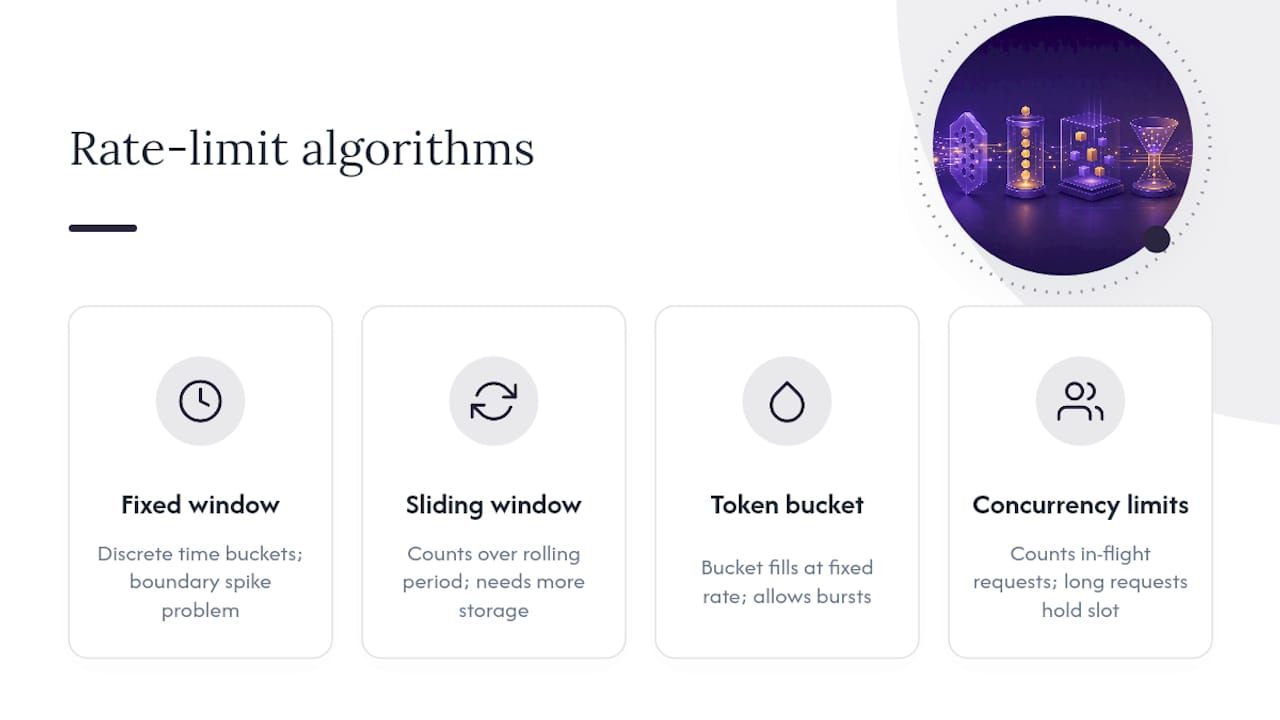
Fixed window divides time into discrete buckets (say, one-minute intervals) and counts requests in the current bucket. It is simple to implement but creates a boundary spike problem: a client can send the full quota at the end of one window and again at the start of the next, effectively doubling the allowed rate for a short period.
Sliding window solves the boundary problem by counting requests over a rolling period ending at the current moment. It is fairer but requires more storage, since you must track individual request timestamps or use an approximate counter.
Token bucket maintains a bucket that fills at a fixed rate up to a maximum capacity. Each request consumes one or more tokens. Bursts are allowed as long as the bucket has tokens; when it empties, requests are rejected. This is the most common algorithm for APIs that want to allow short bursts without sustained overload.
Concurrency limits are different in kind. Instead of counting requests over time, they count how many requests are in flight right now. A long-running request holds a concurrency slot for its entire duration. Stripe enforces concurrency limits separately from per-second rate limits, and its Stripe-Rate-Limited-Reason header will tell you which type fired.
Multi-dimensional limits mean a single API call is evaluated against several counters at once. OpenAI tracks RPM, TPM, and RPD (requests per minute, tokens per minute, requests per day) independently. Gemini’s API adds spend-based limits on top of RPM and TPM. Your request can be well within RPM and still trigger a RESOURCE_EXHAUSTED 429 because a single large prompt pushed you over the TPM ceiling.
The thundering herd problem emerges when many clients receive a 429 simultaneously and all retry at the same moment. If every client waits exactly 30 seconds and then fires again, the server faces the same spike it just rejected. Jitter, described in the client-side section below, breaks this synchronization.
Choosing a rate-limiting algorithm
The leaky bucket algorithm is often confused with token bucket. The key difference: leaky bucket enforces a constant output rate regardless of input bursts, making it ideal when you need to protect a downstream service from spikes. Token bucket allows bursts up to the bucket capacity, making it better for client-facing APIs where occasional bursts are legitimate.
Sliding window log is the fairest option but stores one timestamp per request per client, which becomes expensive at scale. Most production systems use a sliding window counter approximation instead, trading a small accuracy loss for dramatically lower memory use.
Server-side enforcement patterns that actually hold up at scale
Choosing what to limit is as important as choosing the algorithm. The enforcement scope determines who shares a bucket and who gets an independent one.
Enforcement scopes to consider:
- Per API key / account — the most common and most useful; ties quota to a paying customer or service identity.
- Per IP address — useful for unauthenticated endpoints and as a secondary defense, but breaks behind NAT or shared egress IPs.
- Per endpoint — some endpoints are more expensive than others; a
/searchendpoint might warrant a tighter limit than/ping. - Per resource — Stripe’s
resource-specificreason code reflects this; a single customer object might have its own write limit. - Global quota — a ceiling across all clients combined, protecting total server capacity.
Storage and coordination. In-memory counters are fast but do not survive restarts and do not coordinate across multiple server instances. Redis is the standard choice for distributed rate limiting because it supports atomic increment operations. If you run multiple API nodes, a local in-memory counter per node will allow each node’s full quota, effectively multiplying your limit by the node count.
Exposing limits to clients. Always return X-RateLimit-Limit, X-RateLimit-Remaining, and X-RateLimit-Reset (or equivalent headers) on every response, not just on 429s. Clients that can see their remaining quota will self-throttle before hitting the wall. GitHub’s REST API does this well: authenticated and app-based requests get different quotas, and the headers reflect the exact bucket the caller is drawing from.
Tiered limits. Make limits adjustable by plan. A free tier might allow 100 requests per minute; a paid tier, 1,000. Rdyrct uses exactly this model: higher subscription tiers unlock greater throughput and longer analytics history, while the free plan enforces tighter quotas. This is a clean way to align capacity costs with revenue.
Client-side handling: retries, backoff, batching, and idempotency
The retry algorithm
- Attempt the request.
- On 429, check for
Retry-After. If present, sleep that many seconds exactly. - If
Retry-Afteris absent, compute wait time:min(MAX_WAIT, BASE * 2^attempt) + random(0, BASE). - Increment the attempt counter. If attempts exceed
MAX_RETRIES, surface the error to the caller. - Retry the request. For non-idempotent operations, include an idempotency key header (
Idempotency-Key: <uuid>) so the server can deduplicate.
A concrete example with base 1 second, a maximum wait up to one minute, and five maximum retries:
- Attempt 1 fails → wait roughly 1 to 2 seconds
- Attempt 2 fails → wait roughly 2 to 4 seconds
- Attempt 3 fails → wait roughly 4 to 8 seconds
- Attempt 4 fails → wait roughly 8 to 16 seconds
- Attempt 5 fails → surface error
The Python backoff library on PyPI implements this pattern with decorators, handling jitter and max-tries out of the box.
Pro Tip: Full jitter (randomizing the entire wait, not just adding a small random offset) is more effective at breaking thundering herds than partial jitter. Use random(0, min(cap, base * 2^attempt)) rather than base * 2^attempt + random(0, base).
Batching and coalescing
When RPM is your bottleneck rather than TPM, batching is the highest-leverage fix. Instead of sending 60 individual requests per minute, group them into 6 batches of 10. OpenAI recommends batching specifically when RPM is the binding constraint. Request coalescing, where multiple callers waiting for the same resource share a single outbound request, reduces pressure further.
Client-side token bucket
Implement a token bucket in your HTTP client layer to smooth bursts before they reach the server. Refill tokens at the allowed rate; block or queue requests when the bucket is empty. This prevents the saw-tooth pattern of burst-then-429-then-backoff that wastes both client and server resources. For API performance optimization, combining client-side smoothing with server-side caching of repeated responses is often more effective than tuning retry logic alone.
Idempotency
For any operation that modifies state (POST, PUT, DELETE), generate a UUID before the first attempt and send it as Idempotency-Key on every retry. Stripe, Shopify, and most payment APIs support this header. Without it, a retry after a network timeout may create duplicate records even if the original request succeeded.
How to test and monitor rate limits before and after deployment
Catching rate-limit regressions in production is expensive. Catching them in a test suite is cheap.
Testing steps:
- Unit tests for limiter logic. Mock the clock and verify that your token bucket or sliding window counter rejects requests at exactly the right threshold. Test boundary conditions: the last allowed request, the first rejected one, and the first allowed request after reset.
- Integration tests for burst and sustained load. Use a tool like Postman or a load-testing framework to send requests at 1.5x the allowed rate and confirm you receive 429s with correct headers. Then verify your client handles them correctly.
- Chaos tests for retry behavior. Inject artificial 429 responses at random intervals and confirm your client backs off, respects
Retry-After, and does not exceedMAX_RETRIES. Check that idempotency keys prevent duplicate side effects. For a structured approach to rate limit testing, simulate both burst and sustained load patterns separately, since they expose different failure modes.
Key metrics to instrument:
- 429 rate (per endpoint, per client) — the primary signal that something is wrong.
Retry-Afterobserved — track how often clients are told to wait and for how long.- Average and p99 latency — rate-limit backoff adds latency; a spike here often correlates with a 429 spike.
- Concurrent in-flight requests — essential for diagnosing concurrency limit violations, which Stripe tracks separately from per-second limits.
- Quota exhaustion events — log when any dimension (RPM, TPM, spend) hits 100% of its ceiling.
Set alerts on 429 rate crossing a threshold (e.g., more than 1% of requests in a five-minute window) and on concurrency metrics approaching the configured limit. Gemini’s multi-dimensional limits mean you need separate dashboards for request counts and token counts; a request-count dashboard alone will miss a TPM exhaustion event.
Practical recipes: configure limits, parse headers, and build a tolerant client
Recipe 1: Token bucket at 10 requests per minute
- Set
RATE = 10 / 60tokens per second (one token every six seconds). - Initialize
tokens = 10,last_refill = now(). - On each request: compute
elapsed = now() - last_refill, addelapsed * RATEtotokens(capped at 10), updatelast_refill. - If
tokens >= 1, subtract 1 and allow the request. Otherwise, reject or queue with a wait time of(1 - tokens) / RATEseconds. - For a distributed system, replace the local counter with a Redis
INCRwith a TTL of 60 seconds.
Recipe 2: Parse and act on rate-limit headers
- After every response, read
X-RateLimit-Remaining. If it is below a safety threshold (e.g., 10% ofX-RateLimit-Limit), slow your request rate proactively. - Read
X-RateLimit-Reset(Unix timestamp). Computesleep_until = reset_timestamp - now()and pause ifremaining == 0. - On a 429, read
Retry-Afterfirst. If it is an integer, sleep that many seconds. If it is an HTTP date string, parse it and sleep until that time. - For Stripe, also read
Stripe-Rate-Limited-Reason. If the value isendpoint-concurrency, reduce parallel workers rather than slowing request rate.
Recipe 3: Minimal tolerant client
- Wrap your HTTP call in a retry loop with
MAX_RETRIES = 5. - Generate a UUID before the loop; attach it as
Idempotency-Keyon every attempt. - On 429: extract
Retry-Afterif present; otherwise compute exponential backoff with full jitter. - On 2xx: return the response and reset the attempt counter.
- On 4xx (not 429) or 5xx: decide whether to retry based on the status code. Do not retry 403 or 400.
For handling 429 responses in production, the most common gap is failing to parse Retry-After as both an integer and an HTTP date, since providers use both formats.
Security and auth considerations that affect your rate-limit design
Authentication method and rate limiting are more tightly coupled than most API designs acknowledge. The auth method determines who a request is attributed to, which determines which bucket it draws from.
Bearer tokens vs. API keys:
- API keys are simple but static. A leaked key gives an attacker your full quota until you rotate it. Per-user quotas are hard to enforce because one key often represents an entire account.
- Short-lived bearer tokens (JWT or OAuth 2.0) solve both problems. RFC 6750 recommends issuing tokens with limited scope and short lifetimes, transmitting them only over TLS, and never passing them in URLs where they appear in server logs.
Security checklist:
- Issue tokens with the minimum scope needed for the operation (least privilege).
- Set short expiry times; automate rotation rather than relying on manual processes.
- Validate token signatures and certificate chains on every request, not just at login.
- Tie rate-limit buckets to the token’s subject claim (
sub) rather than the IP address, so limits follow the identity even across IP changes. - Log quota exhaustion events per identity; a sudden spike in 429s from one account is an abuse signal worth investigating.
- Treat 429s from unauthenticated endpoints as a security event, not just a capacity event.
NCSC guidance on API authentication recommends signed tokens over unmanaged API keys for exactly these reasons: scoping, auditability, and rotation automation. Postman’s auth documentation echoes this, recommending HTTPS, log monitoring, and programmatic OAuth token refresh.
Pro Tip: If your API currently uses long-lived API keys for all clients, consider issuing short-lived tokens for programmatic access and reserving API keys only for server-to-server integrations where rotation is automated. The quota-attribution benefit alone is worth the migration effort.
Common mistakes and how to debug a “rate limit exceeded” error fast
Troubleshooting flow
- Reproduce the error. Capture the full HTTP response including all headers. Do not rely on error messages alone; the headers contain the diagnostic data.
- Identify the limit type. Check
Stripe-Rate-Limited-Reason(Stripe),Ratelimit-Policy(Cloudflare), or the response body for clues. Is this RPM, TPM, concurrency, or a spend ceiling? - Check server logs for bucket exhaustion. On the server side, look for which counter hit 100% and at what timestamp. Correlate with client request logs.
- Validate client concurrency. Count simultaneous in-flight requests at the moment of the 429. If you are hitting concurrency limits, the fix is reducing parallel workers, not slowing request rate.
- Confirm backoff is working. Add logging to your retry loop. Verify that wait times are increasing and that jitter is being applied.
Common mistakes
- Ignoring
Retry-Afterand using a fixed sleep. A fixed one-second sleep will retry too fast when the server sets a 30-second window reset. - Retry storms. Multiple service instances all receiving a 429 simultaneously and retrying in lockstep. Jitter breaks this; a shared backoff state (e.g., in Redis) prevents it entirely.
- Miscounting concurrent requests. Counting requests sent rather than requests in flight. A request is in flight from the moment it is sent until the response is fully received.
- Treating 429 as always transient. Some providers return 429 for quota exhaustion that will not reset for 24 hours (RPD limits). Retrying in a loop for a day-long limit is wasteful and may be flagged as abusive.
- Not instrumenting all dimensions. Watching only request counts while a TPM or spend limit is the actual bottleneck.
Provider-specific note: GitHub’s secondary rate limits apply to concurrent requests and rapid successive requests to the same endpoint, separate from the primary hourly quota. A client that respects the primary limit but hammers a single endpoint can still be throttled.
The trade-off nobody talks about in rate-limit design
The standard advice is “be conservative on the server, be resilient on the client.” That is correct as far as it goes. What it misses is the developer experience cost of overly tight limits during early integration.
A limit that is appropriate for production traffic will frustrate a developer trying to test a new integration at 2 AM with a handful of synthetic requests. If your 429 response does not include clear headers and a link to documentation, that developer will spend an hour debugging what is actually a quota configuration issue. The fix is not loosening production limits; it is making limits transparent and adjustable. Expose a sandbox environment with generous limits, return headers on every response (not just 429s), and document the exact quota dimensions your API enforces.
The other underappreciated trade-off: client-side smoothing is almost always preferable to server-side rejection for legitimate traffic. A well-implemented client-side token bucket means fewer 429s, lower server load from retry storms, and a better experience for the end user. Server-side limits are the safety net; client-side discipline is the first line of defense. Engineering teams that invest in client-side rate limiting before they hit production limits spend far less time firefighting.
Authoritative references to bookmark
- OpenAI rate limits — covers RPM, TPM, RPD, and spend-based limits; shows header formats and recommends backoff and batching strategies.
- Stripe rate limits — documents global, endpoint, and concurrency limits; explains the
Stripe-Rate-Limited-Reasonheader and how to distinguish limit types. - GitHub REST API rate limits — explains primary and secondary limits, per-endpoint restrictions, and auth-dependent quota differences.
- Gemini API rate limits — covers multi-dimensional limits by tier including RPM, TPM, RPD, and spend ceilings.
- RFC 6750 — OAuth 2.0 Bearer Token Usage — the canonical reference for bearer token security: scope, lifetime, TLS requirements, and error codes.
- NCSC API authentication guidance — practical security checklist covering signed tokens, least privilege, rotation, and deny-by-default posture.
- OWASP API Security — Unrestricted Resource Consumption — frames rate limiting as a security control and lists observability requirements.