Click ID vs UTM: Which Tracking Method Should You Use?
Click ID vs UTM: Which Tracking Method Should You Use?
Use click IDs for platform fidelity and UTMs for cross-channel analytics. For most US marketing teams, the right answer is both: keep auto-tagging on for Google Ads so gclid flows into GA4 automatically, and layer standardized UTMs on every non-Google paid channel so your analytics and CRM can read campaign data without decoding an encrypted token.
The practical consequences break down like this:
- GA4 attribution: GA4 reads gclid natively and pulls keyword, match type, and cost data directly from linked Google Ads. For Meta, TikTok, and LinkedIn traffic, GA4 needs UTMs to assign channel groupings correctly. Without them, paid social often falls into “Unassigned.”
- Ad platform reports: Each platform’s own dashboard uses its click ID (fbclid, ttclid, msclkid) for conversion attribution. Those tokens are opaque to everything outside the issuing platform, so they don’t help your cross-channel reporting.
- CRM ingestion: Neither click IDs nor UTMs land in your CRM automatically. You need to capture both at first touch via a cookie and pass them through form submissions or server-side events.
Start by checking two things: whether auto-tagging is enabled in Google Ads, and whether your team has a written UTM naming standard that matches GA4’s default channel groupings.
Pro Tip: Before auditing your UTMs, open GA4’s Traffic Acquisition report and filter by “Unassigned” sessions. That number tells you exactly how much revenue attribution you’re currently losing.
Key Takeaways
Click IDs and UTMs solve different problems: use platform click IDs for ad platform fidelity and UTMs for cross-channel analytics and CRM readability. Running both is the standard practice for mature US marketing teams.
| Point | Details |
|---|---|
| Google Ads: auto-tagging on | Keep gclid flowing to GA4; add UTMs via Final URL suffix only for CRM readability. |
| Non-Google paid: UTMs required | Meta, TikTok, and LinkedIn traffic needs UTMs for GA4 to assign channel groupings correctly. |
| Capture first-touch tokens | Write gclid and all utm_* to first-party cookies on page load; pass to CRM at form submit. |
| Standardize UTM naming | Align utm_medium and utm_source to GA4 channel logic; enforce lowercase across all contributors. |
| Rdyrct for UTM management | Rdyrct’s UTM builder, query-string-preserving short links, and IP-free analytics simplify the implementation patterns in this guide. |
Table of Contents
- What are click IDs and UTM parameters, and why do they exist?
- What are the five UTM parameters, and how should you name them?
- How does auto-tagging work, and what are gclid, fbclid, ttclid, and msclkid?
- How do UTMs and click IDs compare across key decision dimensions?
- When should you use gclid, UTMs, or both?
- How do you set up auto-tagging, UTM templates, and CRM click ID capture?
- What are the most common tracking pitfalls, and how do you fix them?
- How do you capture tracking tokens without exposing PII?
- The tradeoff most teams get wrong
- Rdyrct makes UTM management and link tracking simpler
- Sources
What are click IDs and UTM parameters, and why do they exist?
Both click IDs and UTM parameters are tracking parameters: values appended to a URL that tie a click to downstream activity like a form fill, purchase, or phone call. The shared goal is attribution, connecting ad spend to outcomes.
The difference is who writes them and who can read them.
UTM parameters are open, human-readable tags that marketers add manually to any URL. Platform click IDs are encrypted, single-use tokens that ad platforms append automatically. A UTM string is readable by any analytics tool; a click ID is only decodable by the platform that generated it.
UTMs show up on paid search ads, email campaigns, social posts, partner links, and QR codes. Click IDs appear almost exclusively on paid ad clicks, appended by the platform’s own infrastructure before the user’s browser ever loads the landing page. A Google Ads click might carry both: a gclid token and a UTM string in the same URL.
What are the five UTM parameters, and how should you name them?
UTM parameters are five standardized fields that GA4 uses to classify traffic. Each one answers a specific question about where a click came from.
- utm_source: The origin platform or publisher (google, facebook, newsletter-june)
- utm_medium: The marketing channel type (cpc, email, organic-social)
- utm_campaign: The campaign name or ID (spring-sale-2026, brand-awareness-q2)
- utm_term: The keyword for paid search (running-shoes, best-crm-software)
- utm_content: The specific ad variant or creative (blue-banner, cta-v2)
Two quick examples show how these look in practice:
Search ad URL:
https://example.com/landing?utm_source=google&utm_medium=cpc&utm_campaign=spring-sale-2026&utm_term=running+shoes&utm_content=rsa-v1
Email link:
https://example.com/offer?utm_source=klaviyo&utm_medium=email&utm_campaign=june-newsletter&utm_content=hero-cta
Naming conventions matter more than most teams realize. GA4’s default channel groupings use exact string matching, so utm_medium=Paid Search and utm_medium=cpc are treated differently. Stick to lowercase, use hyphens instead of spaces, and align your source and medium values to GA4’s channel logic from day one.
| UTM Field | GA4 Channel Impact | Recommended Format |
|---|---|---|
| utm_source | Identifies traffic origin | lowercase, no spaces (google, meta) |
| utm_medium | Drives channel grouping | match GA4 defaults (cpc, email, organic-social) |
| utm_campaign | Campaign-level segmentation | lowercase with hyphens |
| utm_term | Keyword dimension in paid reports | lowercase, match keyword |
| utm_content | Ad-level A/B testing | descriptive, lowercase |
On stable BI joins: include your campaign’s numeric ID in utm_id or embed it in utm_campaign (e.g.,
spring-sale-2026_12345678). Campaign names change; numeric IDs don’t. Joining your data warehouse on a stable ID saves hours of ETL cleanup later.
Pro Tip: Use the GA Campaign URL Builder to generate UTMs before any campaign goes live. It validates field formatting and eliminates the typos that cause “Unassigned” sessions.
How does auto-tagging work, and what are gclid, fbclid, ttclid, and msclkid?
Auto-tagging is the mechanism ad platforms use to append a click ID to your destination URL without any manual work on your part. When someone clicks a Google Ad, Google appends ?gclid=TeSter123abc to the URL automatically. That token carries encrypted metadata: the keyword, match type, ad group, campaign, device, and cost for that specific click.
Here’s what each major platform generates:
- gclid (Google Ads): GA4 reads this natively when Google Ads and GA4 are linked. Keyword-level data, cost, and ROAS flow directly into GA4 reports without UTMs. Google recommends keeping auto-tagging enabled for this reason.
- gbraid / wbraid (Google): Variants of gclid used for iOS and Safari traffic where cross-site tracking restrictions apply. GA4 handles these automatically in the same linked-account setup.
- fbclid (Meta): Appended by Meta to all ad clicks. GA4 does not decode fbclid for channel attribution. Without UTMs alongside it, Meta paid traffic often appears as direct or unassigned in GA4.
- ttclid (TikTok): Same situation as fbclid. TikTok’s pixel uses ttclid for its own conversion tracking, but GA4 ignores it for channel grouping.
- msclkid (Microsoft Ads): GA4 has partial recognition of msclkid, but technical guides recommend adding UTMs alongside it for consistent cross-channel reporting and CRM compatibility.
The core limitation: only the issuing platform can decode its own click ID. A gclid means nothing to Meta’s pixel. An fbclid means nothing to GA4. This is why UTMs remain the universal language of cross-channel attribution.
For app-install campaigns that route through mobile measurement partners, the same principle applies. MMPs like AppsFlyer and Adjust read platform click IDs for their own attribution logic, but UTMs remain the connective tissue for cross-channel reporting. A comparison of AppsFlyer vs Adjust shows how each MMP handles these token flows differently, which affects how you structure your UTM taxonomy for mobile UA.
How do UTMs and click IDs compare across key decision dimensions?
| Dimension | UTM Parameters | Platform Click IDs (gclid, fbclid, etc.) |
|---|---|---|
| Best for | Email, organic social, partner links, QR codes, non-Google paid | Paid ad clicks on the issuing platform |
| Data granularity | Five marketer-defined fields | Rich platform metadata (keyword, cost, match type) encoded in one token |
| Human readability | Fully readable in any URL or report | Opaque alphanumeric string; unreadable without platform decoding |
| CRM compatibility | High: any CRM can store and query UTM strings | Requires custom field mapping; only useful if platform API is joined later |
| Setup complexity | Manual; requires naming standards and discipline | Automatic once enabled; no per-URL work |
| Risk of misattribution | High if naming is inconsistent or redirects strip params | Low for platform reports; high for cross-channel if UTMs are absent |
| Privacy/consent | Parameters visible in URL; no PII if named correctly | Tokens are non-PII but may be subject to browser restrictions (ITP, iOS) |
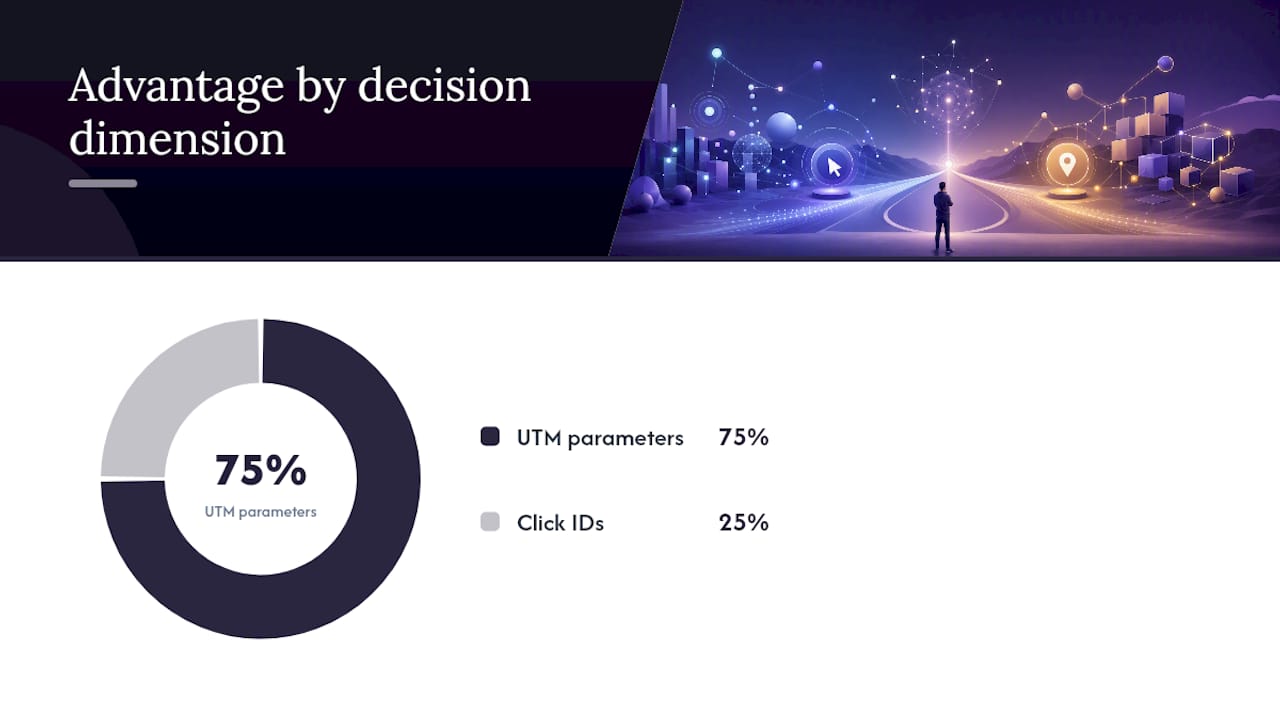
The practical read: click IDs win on platform accuracy and zero-maintenance setup. UTMs win on portability, readability, and cross-tool compatibility. Neither replaces the other.
When you run Google Ads with auto-tagging on and also add UTMs via a Final URL suffix, GA4 prefers the auto-tagging values for Google Ads attribution but still records the UTMs. That means your CRM gets readable campaign names while GA4 gets the full keyword-level detail from gclid. That’s the complementary pattern most mature US marketing teams run.
For non-Google platforms, the pattern is simpler: add UTMs to every ad URL and let the platform pixel capture its own click ID independently. The two coexist in the URL without conflict, as in ?utm_source=facebook&utm_medium=cpc&utm_campaign=spring-sale&fbclid=IwAR123.
When should you use gclid, UTMs, or both?
The decision comes down to channel and what downstream system needs to read the data.
Channel-by-channel rules:
- Google Ads: Keep auto-tagging ON. Add UTMs via Final URL suffix only if your CRM or BI tool needs readable campaign labels. Never disable auto-tagging to force UTMs.
- Microsoft Ads: Enable auto-tagging for msclkid. Add UTMs for GA4 channel consistency and CRM readability.
- Meta (Facebook/Instagram): UTMs are required for GA4 attribution. Meta’s pixel captures fbclid independently. Use both.
- TikTok: Same as Meta. Add UTMs; ttclid handles TikTok’s own conversion tracking.
- LinkedIn: UTMs required. LinkedIn’s Insight Tag captures its own token, but GA4 needs UTMs to classify LinkedIn traffic correctly.
- Organic social: UTMs only. No click ID is appended to organic posts.
- Email: UTMs only. Use utm_source=newsletter-name, utm_medium=email.
- Partner links and affiliate traffic: UTMs only. Add utm_source=partner-name and utm_medium=referral.
- QR codes: UTMs only. The QR destination URL should carry a full UTM string so offline-to-online traffic is attributed correctly.
Decision flow:
- Does the platform support auto-tagging? If yes, enable it.
- Is GA4 linked to that platform’s ad account? If yes, the click ID flows automatically (Google only).
- Does your CRM or BI tool need to read campaign data? If yes, add UTMs regardless of click ID.
- Are you running non-Google paid channels? If yes, UTMs are mandatory for GA4 attribution.
- Do you need offline conversion imports? If yes, capture and store the click ID at form submit.
How do you set up auto-tagging, UTM templates, and CRM click ID capture?
Enabling auto-tagging in Google Ads
- Sign in to Google Ads and go to Settings (account level, not campaign level).
- Under “Account settings,” find Auto-tagging and confirm the checkbox is selected.
- Link your Google Ads account to GA4 via Admin > Google Ads Links in GA4.
- To add UTMs alongside gclid, go to Account Settings > Tracking > Final URL suffix and enter a ValueTrack string:
utm_source=google&utm_medium=cpc&utm_campaign={campaign}&utm_term={keyword}&utm_content={creative}. This appends UTMs without overwriting gclid.
Standardizing UTMs at scale
Use a shared UTM naming document (a Google Sheet works) that lists approved values for utm_source, utm_medium, and utm_campaign prefixes. Lock the document so only one person approves new entries. For large accounts, a regex-based normalization script in GA4’s data stream settings can catch case mismatches before they pollute your reports.
| Scale Method | How It Works | Best For |
|---|---|---|
| Account-level Final URL suffix | Appends UTMs to all ads in the account automatically | Google Ads, Microsoft Ads |
| UTM naming doc (shared sheet) | Canonical source/medium values team must use | All channels |
| GA Campaign URL Builder | Generates validated UTM strings on demand | Email, partner links, QR codes |
| Regex normalization in GA4 | Corrects case and spacing errors at ingestion | Large accounts with multiple contributors |
Capturing click IDs and UTMs in your CRM
This is where most teams lose attribution. The pattern that works:
- On page load, read all URL parameters (utm_source, utm_medium, utm_campaign, utm_term, utm_content, gclid, fbclid, ttclid, msclkid) using JavaScript.
- Write them to first-party cookies with a 90-day expiry. Use first-touch logic: only write if the cookie is empty.
- On form submit, read the cookie values and pass them as hidden fields.
- Map those hidden fields to CRM contact properties (gclid, utm_source, utm_medium, utm_campaign, utm_id).
Pro Tip: Store the raw gclid value in your CRM. Google’s offline conversion import API accepts gclid as the join key, so you can push closed-won revenue back to Google Ads for ROAS reporting without any additional tracking setup.
What are the most common tracking pitfalls, and how do you fix them?
QA checklist
- Redirects stripping parameters: Test every redirect in your chain. A 301 from HTTP to HTTPS, a landing page redirect, or a link shortener that doesn’t preserve query strings will silently drop your UTMs and click IDs. Use a tool like httpstatus.io to trace the full redirect chain and confirm parameters survive.
- Link shorteners dropping parameters: Not all URL shorteners pass query strings through. Verify that your shortener preserves the full parameter string before deploying in a campaign.
- Case-sensitive UTM mismatches:
utm_medium=CPCandutm_medium=cpccreate two separate channel entries in GA4. Enforce lowercase as a hard rule. - Missing UTMs on non-Google paid: The most common cause of “Unassigned” sessions in GA4. Every Meta, TikTok, and LinkedIn ad URL needs a full UTM string.
- Auto-tagging disabled: If someone turned off auto-tagging in Google Ads, gclid stops flowing and GA4 loses keyword-level data. Check this monthly.
- UTMs on Google Ads without auto-tagging: If you add UTMs but disable auto-tagging, GA4 uses the UTMs for attribution but loses cost, keyword, and match-type data. Keep both.
Diagnosing double sessions
Double sessions in GA4 usually mean a redirect is creating a second session by stripping the gclid and triggering a new session start. Check whether your landing page fires a redirect before GA4’s tag fires. The fix: move the GA4 tag to fire before any redirect, or configure the redirect to preserve query strings.
Quick fixes
- Add
?or&preservation rules to your CDN or server config so redirects pass query strings. - Use Google Ads’ Final URL suffix instead of per-ad UTMs to reduce the chance of human error.
- Test click IDs by appending
?gclid=testto your landing page URL and checking GA4’s DebugView to confirm the session is attributed correctly.
How do you capture tracking tokens without exposing PII?
The recommended pattern keeps click IDs and UTMs entirely separate from personally identifiable information until the user voluntarily submits a form.
- First-party cookie capture: Read gclid, fbclid, ttclid, msclkid, and all utm_* values from the URL on first page load. Write them to first-party cookies scoped to your domain. These tokens are not PII: they are anonymous identifiers that carry no name, email, or device fingerprint.
- Non-PII storage: Never store IP addresses alongside click IDs. The token itself is safe; the combination with an IP address or email before consent creates a compliance risk under CCPA and similar frameworks.
- Server-side ingestion: For higher reliability and privacy, capture URL parameters server-side on the first request and write them to a session store. This approach is less vulnerable to browser-side ITP restrictions that can shorten cookie lifespans on Safari.
- CRM join at form submit: When a user submits a form, read the cookie values and attach them to the CRM record. At this point, the user has consented to contact, so joining the anonymous click token to a named record is appropriate.
- Consent alignment: If your site uses a consent management platform (CMP), gate the cookie-write behind the user’s analytics consent. For server-side capture, consult your legal team on whether server-side logging requires the same consent signal.
Pro Tip: For a deeper look at cookieless measurement patterns that work within these constraints, cookieless analytics strategies covers first-party data architectures that preserve attribution without relying on third-party cookies.
Rdyrct’s analytics infrastructure follows this same principle: no IP addresses are stored, and click data is tied to the short link rather than the individual visitor. That makes it a natural fit for teams that need to track UTM performance without building a privacy liability into their stack.

The tradeoff most teams get wrong
There’s a persistent belief in US marketing circles that you have to choose: either trust the platform’s numbers (gclid, fbclid) or trust your own analytics (UTMs). That framing is wrong, and it leads teams to make a bad call in one direction or the other.
Teams that go UTMs-only for Google Ads lose keyword-level cost data in GA4 and break their ability to import offline conversions. Teams that rely exclusively on platform click IDs end up with GA4 full of “Unassigned” sessions and CRM records with no readable campaign context.
The resolution is straightforward: use each tool for what it’s actually good at. Platform click IDs are the source of truth for the platform’s own billing and ROAS. UTMs are the source of truth for cross-channel analytics and CRM joins. Storing both at first touch, in a first-party cookie, costs almost nothing to implement and eliminates the need to pick a side.
The one implementation detail that makes this work in practice: when a lead converts, pass the raw gclid to your CRM alongside the UTM fields. That gclid is the key for Google’s offline conversion import API. Without it, you can’t close the loop between a closed deal in your CRM and the exact keyword that drove it.
Rdyrct makes UTM management and link tracking simpler
Three specific problems come up repeatedly in the implementation steps above: UTM strings drift when different team members build links manually, redirects through link shorteners strip query parameters, and privacy-aware click analytics require infrastructure most small teams don’t have.
Rdyrct addresses all three directly. The built-in UTM parameter builder generates correctly formatted strings and enforces consistent naming, so the “Unassigned” sessions caused by utm_medium=CPC vs utm_medium=cpc stop happening. Short links created through Rdyrct preserve the full query string, including gclid and all utm_* fields, so your tracking survives the redirect. And Rdyrct’s analytics never store IP addresses, giving you referrer, device, and click data without the compliance exposure.

For teams managing multiple campaigns across Google Ads, Meta, and email simultaneously, Rdyrct’s real-time click feed and link health monitoring let you catch a broken UTM or a stripped parameter before it costs you a week of attribution data. Start with a free account at Rdyrct and connect your first UTM-tagged short link in under five minutes.
Sources
Authoritative references for the implementation steps and platform rules covered in this guide:
- Traffic-source dimensions, manual tagging, and auto-tagging - Analytics Help
- About auto-tagging - Google Ads Help
- Campaign URL Builder — GA Dev Tools
- UTMs vs Google Ads auto‑tagging: Use both safely | TrackFunnels
- gclid vs Manual UTM Parameters: Which Should You Use? | UTMGuard Blog