rdyrct 1.2.0 is out. Every screen is new, a new account gets a setup flow that ends with a working link, and we only email people who said yes. The changelog lists everything.
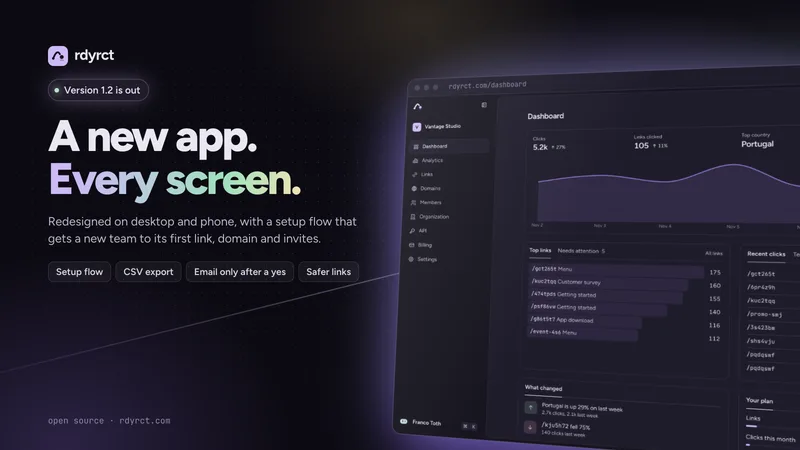
A new app, on every screen
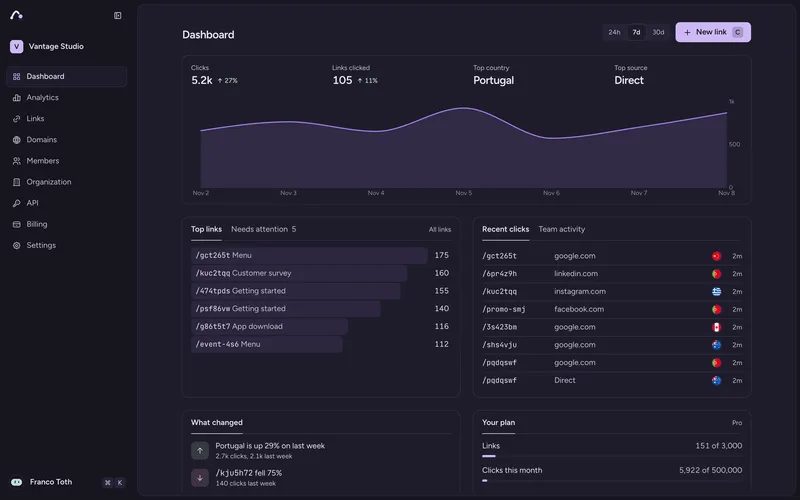
The dashboard opens on the week: clicks and the change from last week, the top country and source, your busiest links, the latest clicks as they come in, and what moved. The sidebar folds to a row of icons when you want the room. Analytics is one card with tabs. On a phone, dialogs open as sheets from the bottom, and a reload shows the sidebar at once instead of a blank page.
From sign-up to a working link
A new account no longer lands in an empty app. One question a screen: what to call the organization, a first link, a domain of your own, who to invite. A card beside it fills in as you answer, and your first link's QR code appears there to open or scan. When the first click arrives, the card shows it and the country it came from. Every step has Skip.
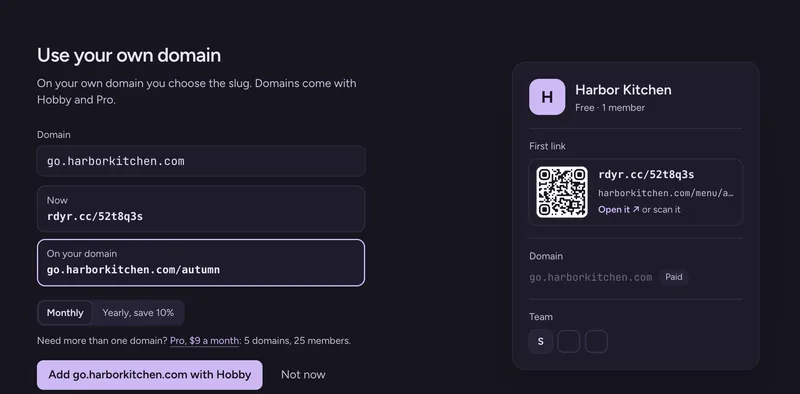
Domains are simpler too. Adding one shows the single CNAME record to set, with a copy button, and a check that failed can be retried instead of deleted and added again.
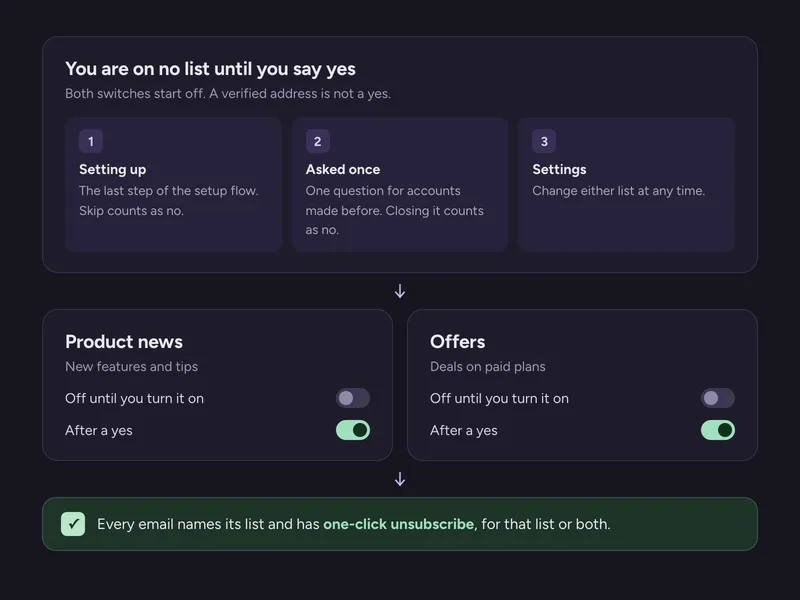
Email only after a yes
We now send two kinds of email: Product news (new features and tips) and Offers (deals on paid plans). You are on neither until you turn it on. Signing up and verifying your address does not count as a yes.
Safer links, for the people who click them
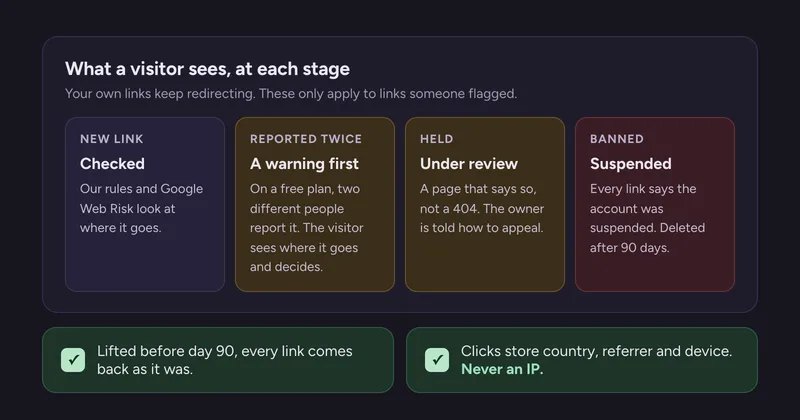
A short link hides where it goes, which is what makes it useful to scammers. 1.2 handles flagged links in steps, and tells the visitor what is going on at each one instead of showing a 404.
Also in 1.2
- Export an organization's links as a CSV file.
- Importing has one row per domain and one Import button. Links on a domain that is still being checked come over now and start working once it is live.
- Each plan counts a set number of clicks a month: 5,000 on Free, 50,000 on Hobby, 500,000 on Pro. Past that, links keep redirecting; only the counting stops until the next month.
- Pro covers one organization. More organizations, or higher limits, are Enterprise: see the pricing page.
- After we ship an update, a tab you left open no longer goes blank when you click: it stays on the page and offers Reload.
- Fixes from a security review before launch, and Cloudflare Turnstile in place of the old proof-of-work check on sign-up.
Running your own copy? The 1.2.0 release notes say what updating takes: sixteen migrations that bun run deploy applies, one new workflow, and Cap's settings to remove.
The free plan still has no time limit. Make your first link and the setup flow takes it from there.